What Is Two-Factor Authentication and How Does It Protect Your Accounts?
Understanding what is two-factor authentication and how does it protect your accounts is essential for anyone navigating the modern internet. At its core, this security layer ensures that even if a malicious actor discovers your password, they cannot gain entry to your sensitive data.
By requiring a second piece of evidence beyond a static password, you create a significant barrier that stops most automated hacking attempts in their tracks. This article explores how these systems operate, why they are a critical defense against data breaches, and how you can implement them across your own digital life to secure your personal information effectively.
Defining the Basics of Multi-Factor Security
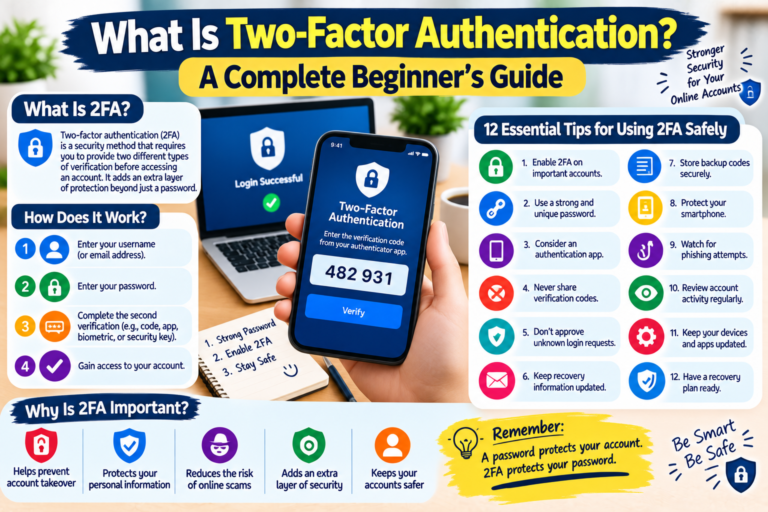
Two-factor authentication, often abbreviated as 2FA, is a security process that requires users to provide two different forms of identification to gain access to an account. Think of it like a bank vault that requires both a physical key and a digital PIN.
The first factor is almost always something you know, such as your primary password. The second factor is something you have or something you are, which serves as a unique proof of your identity.
When you log into a service, the system first verifies your password as the initial gatekeeper. Once that is validated, the system triggers a request for the second factor.
This prevents an attacker from accessing your account if they have stolen your password through phishing or a data breach. Because they lack the second factor—like your physical phone or a biometric scan—they remain locked out.
This approach transforms your security posture from a single point of failure into a layered defense. If one piece of your credential set is compromised, the second factor acts as a safety net. It is important to realize that 2FA is not just for high-security banking apps; it is now a standard requirement for email providers, social media platforms, and e-commerce sites to protect the average user.
How the Authentication Process Functions
The mechanics behind the scenes rely on a handshake between your device and the service’s server. When you enter your password, the server checks its database to ensure the credentials match the record.
If successful, the server then sends a challenge or verifies a pre-existing token. This process happens in a fraction of a second, ensuring that the added security doesn’t noticeably slow down your user experience.
There are three primary categories of authentication factors: knowledge, possession, and inherence. Knowledge factors are things like passwords, PINs, or answers to secret questions.
Possession factors include items you physically hold, such as a smartphone, a hardware security key, or a registered tablet. Inherence factors are biometric markers like fingerprints, facial recognition, or iris scans.
Effective 2FA systems combine at least two of these categories. For example, using a password (knowledge) and a code sent to your phone (possession) creates a strong barrier.
By diversifying the types of evidence required, you make it exponentially harder for an intruder to spoof your identity. Even if an attacker uses sophisticated software to crack your password, they cannot replicate the physical possession of your device or your unique biometric signature.
Comparing Common Authentication Methods
Different methods of 2FA provide varying levels of convenience and protection. SMS-based codes are the most common, but they are not the most secure due to risks like SIM swapping.
Authenticator apps, which generate time-sensitive codes directly on your device, offer a more reliable alternative because they do not rely on cellular networks. Hardware keys represent the gold standard, providing a physical device that must be plugged into your computer or tapped against your phone.
| Method | Security Level | Convenience |
|---|---|---|
| SMS/Text Message | Low | High |
| Authenticator App | Medium/High | Medium |
| Hardware Security Key | Very High | Low |
| Email Code | Low | Medium |
Each user must weigh the trade-offs between these options based on their specific risk profile. For a casual social media user, an authenticator app strikes a perfect balance.
For someone managing high-value financial assets or sensitive corporate data, a physical hardware key is the recommended choice. You can learn more about these standards through the official guidelines provided by the National Institute of Standards and Technology regarding digital identity.
The Role of Authenticator Apps
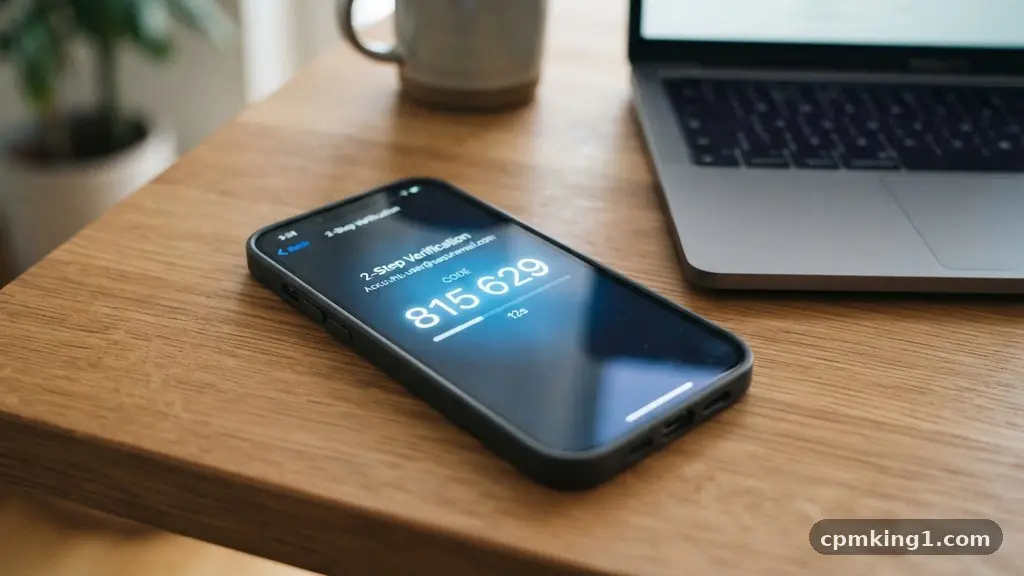
Authenticator apps have become the industry standard for secure, reliable 2FA. Unlike SMS, which can be intercepted by sophisticated attackers, these apps use a process called Time-based One-Time Password (TOTP).
The app and the service provider share a secret key that is used to generate a new, temporary code every 30 to 60 seconds. Because the codes are synced by time, they are only valid for a very brief window.
Setting up these apps is a straightforward task. You typically scan a QR code provided by the service during the setup phase.
Once the “secret” is stored in your app, it begins generating codes locally on your device. This means you do not need an active internet connection to generate a code, which is a major advantage when you are traveling or in areas with poor cellular service.
Many users find that these apps also allow for easier account management. You can often back up your codes to a secure, encrypted cloud service provided by the app developer.
This ensures that if you lose your phone, you are not permanently locked out of your accounts. It is a smarter way to manage your digital life compared to relying on easily phishable text messages.
Why SMS Authentication Is Declining
While SMS-based 2FA was once the primary method for securing accounts, it is increasingly viewed as an outdated practice. The main vulnerability is a technique known as SIM swapping.
In this attack, a criminal convinces your mobile carrier to transfer your phone number to a SIM card they control. Once they have your number, they receive your 2FA codes and can reset your passwords at will.
There are also technical limitations to SMS that make it less reliable. Messages can be delayed by network congestion or blocked by spam filters, preventing you from accessing your account when you need it most. Furthermore, some malicious software on smartphones can read incoming text messages, potentially leaking your codes to attackers without you ever knowing.
The security community has largely moved toward deprecating SMS as a primary form of protection. If a service offers you the choice between an authenticator app and SMS, always choose the app.
It removes the telecommunications company from the security loop, putting the control entirely in your hands. This shift is a necessary step in hardening your defense against modern identity theft.
Hardware Keys and Advanced Security
For those who prioritize maximum protection, physical security keys are the ultimate choice. These small devices, which look like USB drives, use public-key cryptography to verify your identity.
When you attempt to log in, you must physically touch the key to confirm the request. This provides a level of assurance that software-based methods simply cannot match.
These keys are immune to phishing. If you visit a fake website that looks like your bank, the hardware key will recognize that the domain does not match the registered site and will refuse to provide the authentication signal.
This makes it impossible for an attacker to trick you into giving away your second factor. Even if you are convinced to enter your password, the hardware key acts as a final, unbreakable roadblock.
While they require a small upfront investment, usually ranging from $20 to $50, the peace of mind they provide is unmatched. They are durable, waterproof, and designed to last for years.
Most modern laptops and smartphones now support these keys via USB-C or NFC technology. If you are serious about protecting your identity, adding a hardware key to your security arsenal is the best decision you can make.
Common Risks and How to Mitigate Them
Even with 2FA enabled, you must remain vigilant about other vectors of attack. Phishing remains the biggest threat to your account security.
If an attacker creates a perfect copy of a website, they might ask you to enter both your password and your 2FA code. You must always check the URL in your browser before entering any credentials.
Another risk involves account recovery processes. If you lose your phone and have no way to generate your 2FA code, you will likely turn to the “forgot password” or “account recovery” flow.
Attackers often exploit these flows by answering security questions or using social engineering to convince support staff to reset your 2FA. Always ensure your recovery methods are as secure as your primary login.
Consider these best practices to keep your accounts locked down:
- Always use a unique, complex password for every single service.
- Enable 2FA on every account that supports it, starting with email and banking.
- Store your backup codes in a secure, physical location, like a home safe.
- Avoid using your work phone number for personal account 2FA.
- Update your device software regularly to patch potential security holes.
Addressing User Concerns and Questions
Many people wonder if 2FA is actually worth the minor inconvenience it adds to the login process. The reality is that the “inconvenience” of spending five seconds to enter a code is infinitesimal compared to the months of stress and financial loss associated with a hacked account. Security is always a balance, but 2FA is one of the few tools that provides high protection with very little friction.
Can my account be hacked if I have 2FA turned on?
While 2FA makes it significantly harder to compromise an account, it is not an absolute guarantee against every possible attack. Sophisticated state-sponsored actors or extremely persistent hackers might use advanced social engineering to bypass it. However, 2FA effectively eliminates the vast majority of automated, large-scale attacks that target common users.
What is the biggest downside of using 2FA?
The primary downside is the risk of losing access to your account if you lose your device or your backup codes. If you do not have a recovery plan, you could be permanently locked out of your own data. This is why it is critical to save your recovery keys or set up a secondary, trusted device.
Is it better to use an app or a text message for 2FA?
An authenticator app is significantly more secure than a text message. Apps generate codes locally on your device, which protects you from SIM swapping and other cellular network vulnerabilities. Text messages should only be used as a last resort if an app is not supported by the service.
Do I really need 2FA for all of my accounts?
You should prioritize 2FA for accounts that hold sensitive information, such as your primary email, banking, social media, and cloud storage. While you might not need it for a low-stakes account like a recipe website, enabling it everywhere you can is a sound habit. The more layers you have, the less likely you are to be a victim of identity theft.
Conclusion
Securing your digital life is an ongoing process of adaptation, but implementing two-factor authentication and how does it protect your accounts is the most impactful step you can take today. By moving beyond simple passwords and adopting modern, app-based or hardware-based verification, you effectively neutralize the primary tools used by cybercriminals. Do not wait for a security incident to force your hand; take the time this weekend to audit your most important accounts and enable these protections.
Start with your primary email address, as it is the master key to your digital identity. From there, work your way through your financial and social accounts. Protecting yourself is a proactive choice, and by making that choice, you ensure your personal data remains in your control.