What Is Bluetooth and How Does It Work?
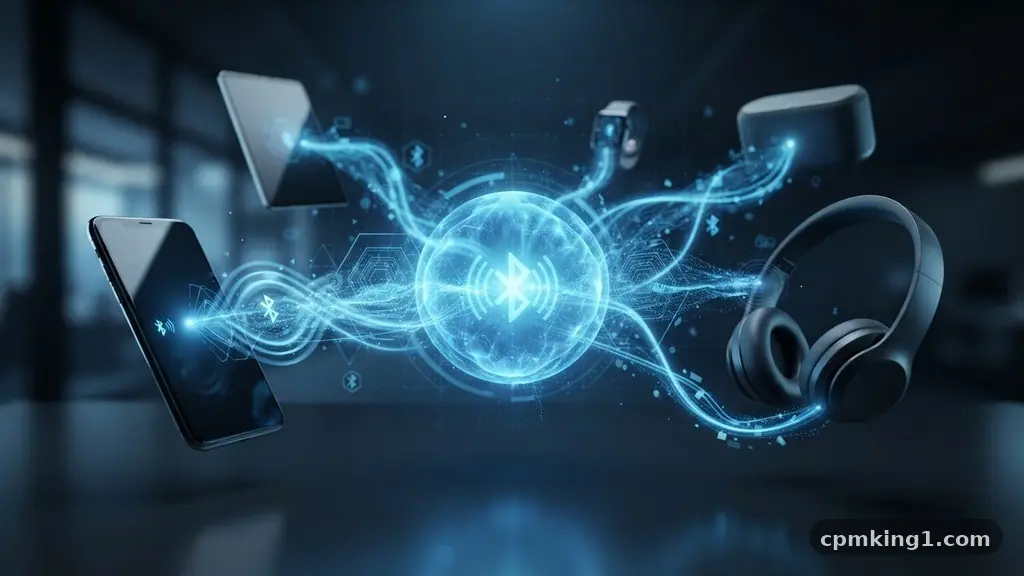
Understanding what is Bluetooth and how does it work is essential for anyone navigating the modern landscape of personal electronics. At its core, this wireless technology allows your phone or computer to communicate with headphones, speakers, and smart home gadgets without the mess of tangled cords. By leveraging short-range radio waves to exchange information, it creates a private network between two or more devices.
Whether you are syncing a smartwatch or streaming audio, knowing the mechanics behind the connection helps you troubleshoot issues and optimize your setup. This article explores the technical foundations and practical applications of this ubiquitous standard to help you take advantage of its full potential.
The Core Mechanics of Bluetooth Communication
At the most basic level, Bluetooth is a form of short-range wireless communication that uses radio waves to transmit data. Unlike Wi-Fi, which is designed to provide high-speed internet access over a wider area, this technology focuses on creating a personal area network (PAN) between nearby devices.
It operates on the 2.4 GHz radio frequency band, which is the same spectrum used by many household appliances like microwaves and cordless phones. To avoid interference with these other signals, the system employs a technique called frequency-hopping spread spectrum.
This frequency-hopping process involves switching between 79 different channels within the 2.4 GHz band at a rate of 1,600 times per second. By constantly jumping from one frequency to another, the system ensures that the connection remains stable even if other wireless signals are present in the same room.
When you connect your phone to a pair of headphones, the two devices “agree” on a specific hopping pattern. This synchronization allows them to maintain a private link while ignoring signals from other nearby electronics that aren’t part of the active pair.
The data being transmitted is broken down into small packets before being sent across these channels. Once the receiving device catches these packets, it reassembles them into the original file, such as a song or a contact list entry.
This happens so quickly that you never notice the fragmentation. Because the power requirements are relatively low, it is an ideal solution for battery-powered gadgets that need to stay connected throughout the day without draining their internal energy stores.
The Evolution of Bluetooth Technology
The origins of this technology date back to the late 1990s when engineers at Ericsson sought a way to replace bulky RS-232 telecommunication cables. They named it after a 10th-century Danish king, Harald Bluetooth, who was known for uniting disparate Scandinavian tribes.
This historical inspiration was fitting, as the goal was to unite different types of devices—computers, phones, and peripherals—under a single, standardized wireless protocol. Over the decades, the technology has undergone significant revisions to improve its speed, range, and efficiency.
Early versions were relatively slow and prone to connection drops, but modern iterations have transformed the user experience. The introduction of Bluetooth Low Energy (BLE) was a major turning point in the industry.
BLE allows devices to remain in a “sleep” state until they need to exchange data, which drastically reduces power consumption. This innovation enabled the rise of modern wearables, such as fitness trackers and smartwatches, which can now stay connected to a smartphone for weeks on a single charge.
| Version | Key Advancement | Typical Range |
|---|---|---|
| Bluetooth 1.0 | Initial standard for cable replacement | Up to 10 meters |
| Bluetooth 2.0 | Enhanced Data Rate (EDR) for speed | Up to 10 meters |
| Bluetooth 4.0 | Introduction of Low Energy (BLE) | Up to 100 meters |
| Bluetooth 5.0+ | Increased speed and broadcast capacity | Up to 240 meters |
How Pairing Works in Practice
The process of pairing is essentially a digital handshake between two hardware units. When you initiate a connection, the primary device—usually your phone—scans the immediate area for other signals. It looks for “advertising” packets that indicate a nearby device is ready and willing to connect.
Once your phone identifies the target, it sends a request to establish a secure link. This is where the security protocols come into play, often requiring a passkey or a confirmation code to ensure you are connecting to the correct hardware.
Once the initial handshake is successful, the devices create a “piconet.” A piconet is a small, temporary network that consists of one master device and up to seven slave devices. The master device dictates the timing and the frequency-hopping sequence for the entire group.
This structure is why you can have your phone connected to a smartwatch, a pair of earbuds, and a car entertainment system simultaneously without the signals colliding. The master device manages the traffic, ensuring that the music stream to your headphones doesn’t interfere with the data sync to your watch.
Security is a fundamental component of this process. The devices use encryption to scramble the data as it travels through the air, preventing eavesdroppers from intercepting your sensitive information. While no wireless protocol is 100% immune to sophisticated attacks, the current standards are highly effective for everyday use.
As long as you are mindful of your surroundings when pairing in public spaces, the risk of unauthorized access is minimal. You can learn more about the technical specifications of these standards through the official Bluetooth Special Interest Group website.
Comparing Bluetooth and Wi-Fi
Many people confuse these two technologies because both facilitate wireless connections, but they serve very different purposes. Wi-Fi is built for high-bandwidth, long-range data transfer. It is the backbone of your home internet, designed to connect computers and streaming boxes to a central router.
If you want to download a large movie file or participate in a high-definition video call, Wi-Fi is the superior choice. It requires significantly more power and has a much higher data throughput capacity than its shorter-range counterpart.
Bluetooth, by contrast, is a specialized tool for point-to-point communication. It is not intended to provide internet access, but rather to bridge the gap between two specific gadgets.
While Wi-Fi connections often involve a complex infrastructure of routers and access points, this technology is designed for simplicity and direct interaction. The “overhead” required to maintain a connection is much lower, which is why it excels at tasks like controlling a lightbulb or sending a small packet of health data from a wristband to a phone.
The trade-off between these two is largely a matter of range versus power consumption. A Wi-Fi radio would drain the battery of a small pair of earbuds in less than an hour, whereas a Bluetooth radio can keep them running for many hours on a tiny battery.
Conversely, trying to run a full home network over this technology would be impossibly slow and frustrating. By understanding the distinct roles each plays, you can better manage your electronic ecosystem and troubleshoot connectivity issues when they arise.
Common Uses in Everyday Life
The ubiquity of this technology means that most of us interact with it dozens of times every day without even thinking about it. From the moment you wake up, your devices are likely communicating in the background.
Your fitness tracker might be sending steps to your phone, or your smart speaker might be waiting for a voice command sent via a wireless microphone. These interactions have become so seamless that we often forget they are happening at all.
Beyond simple audio and fitness data, the standard is used for a wide array of specialized applications. In the automotive industry, it allows for hands-free calling and music streaming, significantly improving safety by keeping the driver’s focus on the road.
In the professional world, it connects wireless mice, keyboards, and printers to laptops, clearing away the clutter of cables from office desks. It even plays a role in medical devices, such as insulin pumps or heart rate monitors, allowing for real-time monitoring by healthcare providers.
* Wireless audio streaming for headphones and speakers.
* Hands-free communication systems in modern vehicles.
* Synchronization of health and fitness metrics from wearables.
* Input device connectivity, including mice and keyboards.
* Smart home control for lights, locks, and thermostats.
* File transfers between nearby mobile devices.
* Asset tracking using beacon technology in retail stores.
Managing Your Connections and Range
The effective range of a connection depends heavily on the version of the technology being used and the physical environment. While the theoretical maximum range for modern versions can exceed 200 meters in an open field, real-world performance is usually much lower.
Walls, furniture, and even your own body can act as obstacles that degrade the signal. If you find that your audio is cutting out, it is often because there is too much physical mass between your phone and your headphones.
Interference is another common culprit for poor performance. Because this technology shares the 2.4 GHz spectrum with other devices, a crowded environment can lead to instability.
If you are in an office building with dozens of Wi-Fi routers and other wireless gadgets, the “airwaves” can become congested. Turning off the functionality when you are not using it can help reduce this noise, though most modern devices are smart enough to manage these conflicts automatically.
If you are experiencing consistent drops, try a few basic troubleshooting steps. First, ensure that your device firmware is up to date, as manufacturers often release patches that improve stability. Second, try “forgetting” the device in your phone’s settings and re-pairing it from scratch.
This clears out any corrupted cache files that might be causing the communication to fail. Finally, keep your devices within a reasonable distance—usually within 10 to 30 feet—to ensure the strongest possible signal quality.
The Future of Wireless Connectivity
As we look toward the future, the technology continues to evolve to meet the demands of an increasingly connected world. One of the most exciting developments is the introduction of Auracast broadcast audio.
This feature allows a single audio source to broadcast to an unlimited number of receivers simultaneously. Imagine walking into a gym or a waiting room where you can tune your own headphones into a public television screen, or hearing a clear announcement in a train station directly through your hearing aids.
Another area of growth is in the realm of high-fidelity audio. While early versions were often criticized for compressing music, newer codecs allow for high-resolution audio streaming that rivals a wired connection.
This makes it possible for audiophiles to enjoy high-quality sound without being tethered to their equipment. The goal is to reach a point where the wireless experience is indistinguishable from a physical cable, both in terms of sound quality and connection reliability.
Developers are also focusing on location services and spatial awareness. Future iterations will likely allow for more precise indoor positioning, helping you find lost items or navigate large buildings with pinpoint accuracy.
By combining low-power radio communication with advanced sensor data, the technology is moving beyond simple connectivity and toward a more intelligent, context-aware ecosystem. It is clear that this standard will remain a cornerstone of our digital lives for many years to come.
Frequently Asked Questions
What is the difference between Bluetooth and Wi-Fi?
Wi-Fi is designed for high-speed, long-range internet access, while Bluetooth is meant for short-range, low-power communication between specific devices. Wi-Fi acts as a bridge to the internet, whereas the other acts as a bridge between your personal gadgets.
Is it safe to leave this feature on all the time?
Yes, it is generally safe to leave it enabled. Modern security protocols are robust, and the power consumption is negligible on current hardware. Leaving it on allows your devices to reconnect automatically, which is a major convenience for daily use.
Can I connect multiple devices at the same time?
Yes, most modern smartphones can maintain multiple active connections simultaneously. You can be connected to your smartwatch, your car, and your headphones at the same time, provided the devices are configured to handle the traffic.
Why does my connection sometimes cut out?
Signal drops are usually caused by physical obstructions like walls or interference from other electronic devices. If the distance is too great or the airwaves are crowded, the signal strength will decrease, leading to audio stuttering or lost connections.
Does using this drain my battery significantly?
In the past, keeping the radio active could drain a battery quickly. However, with the widespread adoption of Low Energy (BLE) standards, the impact on your phone’s battery life is now minimal and rarely noticeable during normal operation.
Conclusion
Understanding what is Bluetooth and how does it work demystifies the invisible connections that power our daily routines. By moving data through short-range radio waves and constantly shifting frequencies, this technology provides a reliable, efficient, and secure way to link our most important devices. Whether you are enjoying high-quality music on the go or syncing your health data to the cloud, you are relying on a sophisticated system that has been refined over decades.
By keeping your software updated and being mindful of your physical environment, you can ensure that your devices stay connected whenever you need them. Take a moment to explore your device settings today and see how you can better manage your own wireless ecosystem for a smoother digital experience.