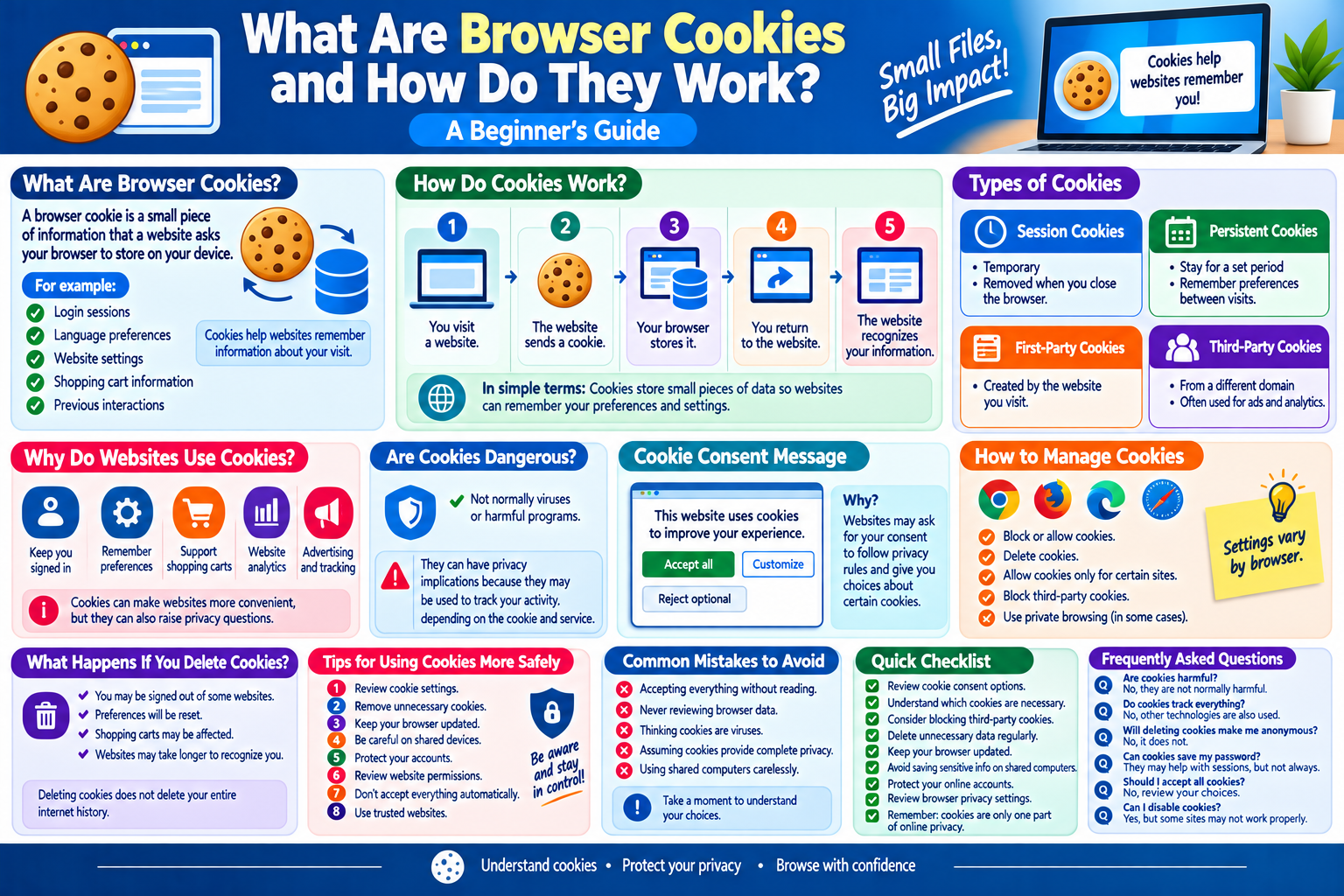
What Are Browser Cookies and How Do They Work? A Beginner’s Guide
When you visit websites, you may sometimes see messages asking you to accept cookies. You may also notice that a website remembers your language, keeps items in your shopping cart, or remembers that you have already signed in.
These features can work with the help of browser cookies.
Cookies are a common part of modern websites. They can make websites more convenient, but they can also raise questions about privacy and online tracking.
In this beginner-friendly guide, we will explain what browser cookies are, how they work, what types of cookies exist, why websites use them, and how you can manage them safely.
What Are Browser Cookies?
A browser cookie is a small piece of information that a website can ask your web browser to store on your device.
Cookies can help a website remember information about your visit.
For example, a website may use a cookie to remember:
- Your login session
- Language preferences
- Website settings
- Shopping cart information
- Certain preferences
- Previous interactions with the website
Cookies are stored by your browser and can be managed through browser settings.
How Do Cookies Work?
The basic process is simple.
Step 1: You Visit a Website
You open a website using your browser.
Step 2: The Website Sends a Cookie
The website may ask your browser to store a small piece of information.
Step 3: Your Browser Stores It
The browser stores the cookie according to its settings and the cookie’s instructions.
Step 4: You Return to the Website
When you visit the website again, the browser may send the relevant cookie information back to the website.
Step 5: The Website Recognizes Information
The website can use the cookie to remember certain preferences or maintain a session.
This can make the website more convenient to use.
Why Do Websites Use Cookies?
Cookies have many legitimate uses.
1. Keeping Users Signed In
A cookie can help a website remember that you have successfully logged in.
Without session information, you might need to authenticate again whenever you move between pages.
2. Remembering Preferences
A website can use cookies to remember settings such as language, display preferences, or other choices.
3. Shopping Carts
Online stores can use cookies as part of systems that remember products added to a shopping cart.
4. Website Analytics
Some websites use cookies to understand how visitors interact with their pages.
This information can help website owners identify popular pages and improve the user experience.
5. Advertising
Some advertising systems can use cookies to help measure advertisements or understand browsing activity, depending on the technology and user settings.
Different Types of Cookies
Not all cookies work in exactly the same way.
Session Cookies
Session cookies are generally temporary.
They may remain available while you are using a website and can be removed when the browsing session ends.
They can be useful for maintaining temporary information such as a login session or shopping activity.
Persistent Cookies
Persistent cookies remain on the device for a defined period or until they are deleted.
They can be used to remember preferences between visits.
For example, a website may remember a language selection when you return later.
First-Party Cookies
First-party cookies are generally created by the website you are visiting.
For example, if you visit:
example.com
a cookie created by that website would generally be considered a first-party cookie.
These cookies can support features such as login sessions and preferences.
Third-Party Cookies
Third-party cookies are associated with a domain different from the website you are directly visiting.
They have historically been used for advertising, analytics, and other services.
However, modern browsers increasingly restrict third-party cookies because of privacy concerns.
Are Cookies Dangerous?
Cookies are not normally viruses or computer programs.
A cookie is generally a small data file or piece of browser-stored information.
However, cookies can have privacy implications because they may be used to remember users or track activity across websites, depending on the cookie and the services involved.
This is why understanding cookie settings is important.
Do Cookies Contain Passwords?
A cookie does not necessarily contain your actual password.
Websites can use cookies to store or reference information associated with your login session.
Because session-related information can be sensitive, users should protect their devices and accounts carefully.
If someone gains access to certain session information, they may potentially be able to access an account without knowing the password, depending on how the website’s authentication system works.
What Is a Cookie Consent Message?
You may have seen messages such as:
“This website uses cookies.”
Websites may display cookie consent notices to explain their use of cookies and, depending on applicable privacy requirements, obtain user choices.
The options can vary from website to website.
You may see choices such as:
- Accept all
- Reject optional cookies
- Customize settings
- Manage preferences
Read the available choices carefully rather than automatically selecting an option.
Why Do Websites Ask for Cookie Consent?
Cookie consent systems can allow users to make choices about certain types of cookies or similar technologies.
Privacy requirements differ by location and circumstance, so websites may provide different controls depending on applicable rules.
If a website offers cookie settings, reviewing them can help you understand what information is being stored or used.
How to Manage Cookies
Most modern browsers allow you to control cookies.
Depending on the browser, you may be able to:
- Block cookies
- Delete cookies
- Allow cookies only for certain websites
- Block third-party cookies
- Delete cookies when closing the browser
- Review stored website data
The exact settings vary between browsers.
What Happens If You Delete Cookies?
Deleting cookies can remove stored website information.
After deleting cookies, you may notice that:
- You are signed out of some websites.
- Website preferences are reset.
- Shopping carts may be affected.
- Websites may ask you to select preferences again.
- Some websites may take longer to recognize your previous settings.
Deleting cookies does not delete your entire internet history or remove all forms of online tracking.
Should You Block All Cookies?
Not necessarily.
Blocking all cookies may cause some websites to stop working correctly or lose useful features.
For example, a website may need certain cookies to maintain a login session or remember settings.
A balanced approach is often more practical: allow necessary functionality while reviewing optional cookies and privacy settings.
Cookies and Online Privacy
Cookies are only one part of online privacy.
Websites and applications can use many other technologies to collect or process information.
Depending on the service, information may be associated with:
- IP addresses
- Browser characteristics
- Device information
- Account details
- Website interactions
- Advertising identifiers
- Analytics systems
Therefore, changing cookie settings alone does not guarantee complete online privacy.
How to Use Cookies More Safely
Follow these practical tips:
1. Review Cookie Settings
When a website provides privacy options, take a moment to review them.
2. Remove Unnecessary Cookies
If your browser contains large amounts of old website data, you can periodically review and remove unnecessary information.
3. Keep Your Browser Updated
Browser updates can include security and privacy improvements.
4. Be Careful on Shared Devices
If you use a shared computer, avoid allowing websites to remember sensitive information unnecessarily.
5. Protect Your Accounts
Use strong passwords and additional security features where available.
6. Review Website Permissions
Cookies are not the only type of browser data. Review other website permissions when necessary.
7. Don’t Automatically Accept Everything
If you have choices, review them before accepting optional tracking technologies.
8. Use Trusted Websites
Be careful when entering personal information on unfamiliar websites.
Common Cookie-Related Mistakes
Accepting Everything Without Reading
Many users simply click the first button they see.
Take a moment to understand the available choices.
Never Reviewing Browser Data
Old cookies and website data can accumulate over time.
Thinking Cookies Are Viruses
Cookies are data stored by browsers, not traditional computer viruses.
Assuming Cookies Provide Complete Privacy
Cookies can be deleted or restricted, but other forms of online tracking may still exist.
Using Shared Computers Carelessly
Allowing a shared device to remember accounts can create privacy and security problems.
Browser Cookie Checklist
When managing cookies, remember:
- Review cookie consent options.
- Understand which cookies are necessary.
- Consider blocking optional third-party cookies.
- Delete unnecessary website data periodically.
- Keep your browser updated.
- Avoid saving sensitive information on shared computers.
- Protect your online accounts.
- Review browser privacy settings.
- Remember that cookies are only one part of online privacy.
Frequently Asked Questions
Are browser cookies harmful?
Cookies are not normally harmful software. They are pieces of data used by websites and browsers, although some cookies and similar technologies can have privacy implications.
Do cookies track everything I do online?
No. Cookies are only one technology used by websites and online services. Other technologies can also be used for analytics, advertising, authentication, and other purposes.
Will deleting cookies make me anonymous?
No. Deleting cookies does not make you completely anonymous online.
Can cookies save my password?
Cookies can be involved in maintaining login sessions, but they do not necessarily store your actual password. Sensitive session information should still be protected.
Should I accept all cookies?
You do not necessarily need to accept all cookies. If a website provides choices, review the settings and allow only what you are comfortable with while keeping necessary website functions available.
Can I disable cookies?
Most browsers provide options for blocking or limiting cookies. However, blocking all cookies may cause some websites or features to stop working properly.
Final Thoughts
Browser cookies are a normal part of modern web browsing. They help websites remember sessions, preferences, shopping activity, and other information.
At the same time, cookies can have privacy implications, especially when they are used for analytics or advertising. Understanding the difference between necessary and optional cookies can help you make better privacy decisions.
The best approach is not necessarily to block everything. Instead, review cookie settings, keep your browser updated, protect your accounts, and understand what information websites may store or use.