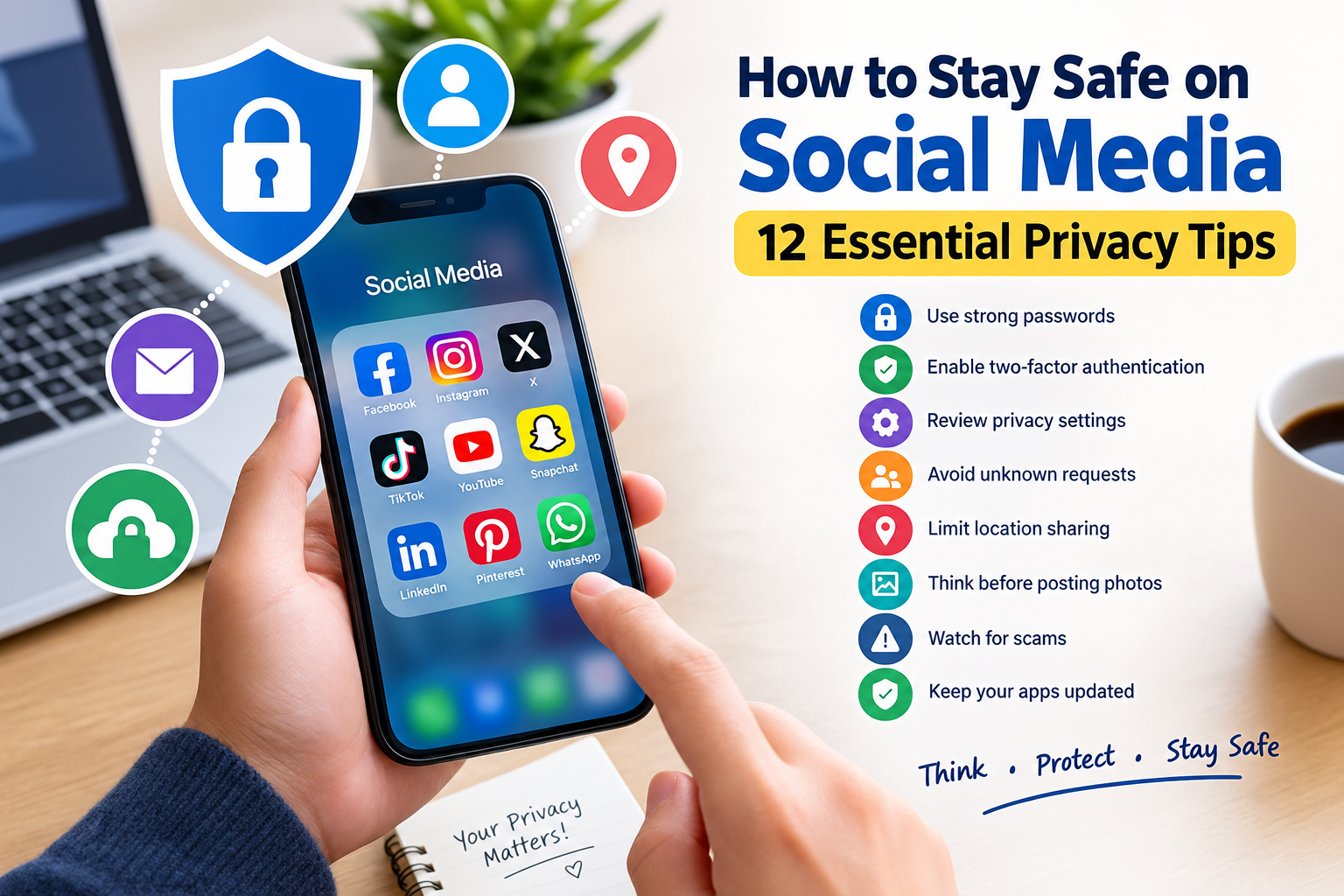
How to Stay Safe on Social Media: 12 Essential Privacy Tips
Social media has become an important part of everyday life. People use platforms such as social networks, messaging apps, and online communities to communicate with friends, share photos, follow news, promote businesses, and discover new content.
While social media can be useful and entertaining, it is also important to protect your privacy and personal information. Oversharing information, using weak passwords, clicking suspicious links, or accepting unknown requests can create unnecessary security risks.
Fortunately, you do not need advanced technical knowledge to improve your social media security. A few simple habits can help protect your accounts, personal information, photos, and online identity.
In this guide, you will learn practical ways to stay safer and protect your privacy while using social media.
What Is Social Media Privacy?
Social media privacy refers to controlling who can access your personal information and online activities.
Information shared on social media can include:
- Your full name
- Photos and videos
- Email address
- Phone number
- Birthday
- Location
- Friends and followers
- Workplace or school information
- Personal interests
- Posts and comments
The amount of information available to others often depends on your account and privacy settings.
Before sharing something online, think about whether you would be comfortable with an unknown person seeing it.
Why Is Social Media Security Important?
Social media accounts can contain a significant amount of personal information.
If an account is compromised, someone may gain access to private messages, photographs, contacts, posts, or other account information.
Good social media security can help reduce risks such as:
- Account hacking
- Identity theft
- Phishing
- Fake profiles
- Online scams
- Unwanted contact
- Privacy violations
- Social engineering
Taking a few minutes to review your account settings can therefore be worthwhile.
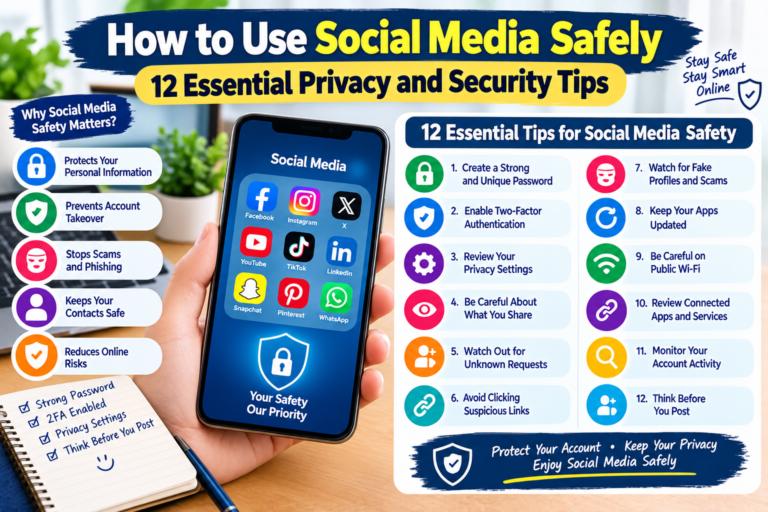
1. Use a Strong and Unique Password
A strong password is one of the most important protections for your social media account.
Avoid using passwords based on information that people can easily guess, such as:
- Your name
- Birthday
- Phone number
- Favorite team
- Family member’s name
- Simple number combinations
You should also avoid using the same password on multiple important websites.
If another website experiences a data breach, a reused password could potentially put your social media account at risk.
Consider using a password manager to create and store unique passwords.
2. Enable Two-Factor Authentication
Two-factor authentication, commonly called 2FA, provides an additional layer of account protection.
When 2FA is enabled, logging into your account may require your password plus another verification method.
Depending on the platform, this may include:
- An authentication app
- A security key
- A verification code
- Another supported authentication method
Even if someone discovers your password, the additional security step can make unauthorized access more difficult.
Enable 2FA whenever a social media platform provides a suitable option.
3. Review Your Privacy Settings
Social media platforms usually provide privacy controls that allow you to decide who can see different types of information.
Review your account settings regularly and check who can access:
- Your posts
- Your photos
- Your profile information
- Your friends or followers
- Your contact details
- Your location
If possible, limit sensitive information to people you actually know and trust.
Privacy settings can change when platforms introduce new features, so reviewing them periodically is a useful habit.
4. Be Careful About Accepting Unknown People
You may receive friend requests, follower requests, or connection requests from people you do not know.
Not every account is genuine.
Some fake accounts are created to collect information, send scams, promote unwanted content, or establish contact with users.
Before accepting a request, consider:
- Do I know this person?
- Does the profile look genuine?
- Does the account have suspicious activity?
- Are there unusual messages or links?
- Is the person asking for personal information?
If you do not recognize an account, there is usually no reason to accept the request.
5. Avoid Sharing Your Location Publicly
Location information can reveal where you live, work, study, or spend time.
Be cautious about publicly posting:
- Your home address
- Real-time location
- Travel plans
- Hotel information
- Workplace location
- Regular daily routines
Posting that you are away from home can also reveal information that you may not want strangers to know.
Consider disabling unnecessary location access for social media applications and review location-related privacy settings.
6. Think Before Posting Photos
Photos can reveal more information than you might realize.
For example, a photograph could show:
- Your home
- Your school or workplace
- Vehicle information
- Documents
- Street signs
- Personal belongings
- Your location
Before posting a photo, look carefully at the background.
Also avoid sharing photographs containing sensitive documents, passwords, tickets, identification information, or other private details.
7. Watch Out for Phishing Messages
Scammers may use social media messages to trick users into revealing passwords or other information.
A suspicious message might claim that:
- Your account will be closed.
- You have won a prize.
- Your payment failed.
- Your account needs verification.
- You must click a link immediately.
- You have received an important notification.
Do not automatically trust messages simply because they appear to come from a familiar company or platform.
If a message asks you to log in through a link, consider opening the official website or application directly instead.
8. Do Not Share Passwords or Verification Codes
Never share your social media password with another person unless there is a legitimate account-management reason and a secure process provided by the service.
You should also protect verification codes.
A legitimate service generally should not require you to send a private login verification code to a stranger through a message.
If someone asks for your password or authentication code, treat the request as suspicious.
9. Be Careful With Third-Party Apps
Some websites and applications allow you to sign in using a social media account.
This can be convenient, but you should understand what permissions you are granting.
Review connected applications periodically and remove access for services you no longer use.
Before connecting an application, consider:
- Who operates it?
- Why does it need access?
- What information can it access?
- Do you still need the connection?
Reducing unnecessary third-party access can improve account security.
10. Keep Your Social Media App Updated
Application updates can include security improvements and bug fixes.
Keep your:
- Social media applications
- Smartphone operating system
- Web browser
- Security software
updated whenever practical.
Using current software can help reduce exposure to known security problems.
Download applications from trusted sources and avoid modified or unofficial versions.
11. Be Careful With Online Giveaways and Scams
Social media scams can take many forms.
Common examples include:
- Fake giveaways
- Fake investment opportunities
- Fake job offers
- Cryptocurrency scams
- Fake customer-support accounts
- Shopping scams
- Prize notifications
- Impersonation accounts
Scammers often create a sense of urgency to make people act without thinking.
Before sending money or personal information, stop and verify the offer through an official source.
If an offer sounds too good to be true, it deserves additional caution.
12. Review Your Account Activity
Many social media services allow users to review recent login activity or connected devices.
Check your account periodically for unfamiliar activity.
Look for:
- Unknown devices
- Unexpected locations
- Unrecognized login sessions
- Changes to account settings
- Unknown connected applications
If you notice something suspicious, change your password and enable additional security features.
You should also review your recovery email address and phone number to make sure they are correct.
What Should You Do If Your Social Media Account Is Hacked?
If you believe someone has accessed your account without permission, act quickly.
Consider these steps:
- Change your password immediately.
- Enable two-factor authentication.
- Sign out of unfamiliar devices or sessions.
- Review recent account activity.
- Check your recovery email and phone number.
- Remove unknown connected applications.
- Review recent posts and messages.
- Contact the platform’s official support if necessary.
- Warn your contacts if suspicious messages were sent from your account.
Do not use unofficial support accounts that ask for your password or authentication codes.
Simple Social Media Security Checklist
Use this checklist to review your current security habits:
- Use a strong, unique password.
- Enable two-factor authentication.
- Review privacy settings.
- Avoid accepting unknown accounts.
- Limit location sharing.
- Check photos before posting.
- Avoid suspicious links.
- Never share passwords or verification codes.
- Review third-party application access.
- Keep apps updated.
- Watch for social media scams.
- Check recent account activity.
Frequently Asked Questions
How can I make my social media account safer?
Use a strong unique password, enable two-factor authentication, review privacy settings, avoid suspicious links, and regularly check account activity.
Should my social media profile be public?
A public profile may be useful for some users, creators, or businesses. However, private settings can provide greater control over who sees personal information. Choose settings based on what you are comfortable sharing.
Can strangers see my social media information?
They may be able to see information depending on your privacy settings and what you publicly post. Review your account settings to control access where possible.
Should I accept friend requests from strangers?
It is safer to avoid accepting requests from people you do not know, particularly when their profile appears suspicious or they immediately request personal information.
What should I do if someone sends me a suspicious link?
Do not click it. Verify the message through the official website or application, and report or delete the suspicious message if appropriate.
Can photos reveal my location?
Yes. Photos can sometimes reveal locations through visible landmarks, signs, backgrounds, or location-related metadata. Check photographs carefully before sharing them publicly.
Final Thoughts
Social media can be a valuable way to communicate, learn, and stay connected, but protecting your personal information should always be a priority.
Simple habits such as using unique passwords, enabling two-factor authentication, reviewing privacy settings, limiting location sharing, avoiding suspicious links, and checking account activity can significantly improve your online security.
Remember that anything posted online can potentially be copied or shared by others. Before publishing personal information, photos, or sensitive details, take a moment to consider who may see them.
The most important rule is simple: think before you share, click, accept, or respond on social media.