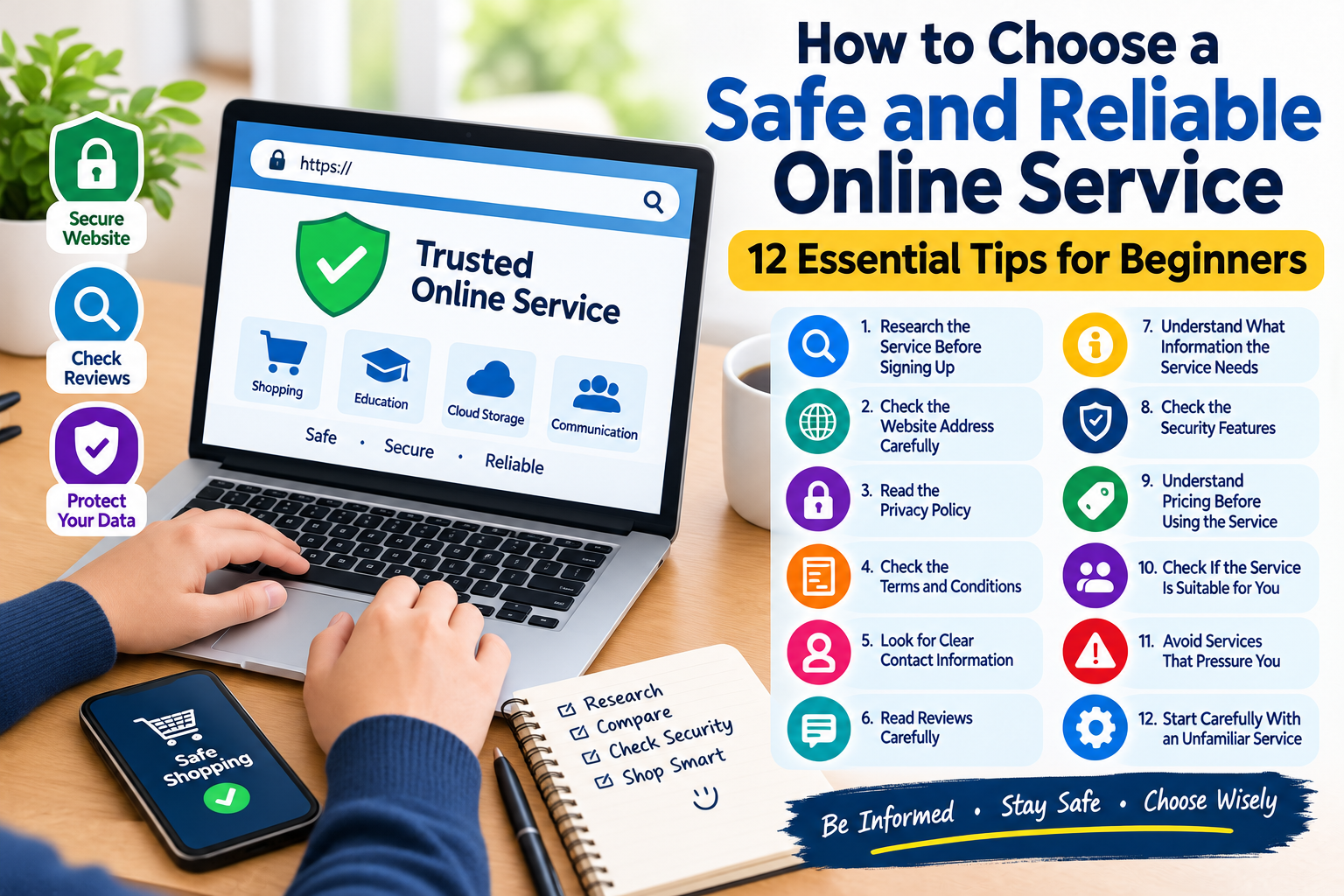
How to Choose a Safe and Reliable Online Service: 12 Essential Tips
The internet provides access to thousands of websites and online services. People use these services for shopping, communication, education, entertainment, work, banking, file storage, and many other everyday activities.
With so many options available, choosing a safe and reliable online service can sometimes be difficult. A website may look professional, but appearance alone does not tell you whether a service is trustworthy.
Before creating an account, sharing personal information, downloading an application, or making a payment, it is useful to spend a little time researching the service.
Fortunately, you do not need advanced technical knowledge to evaluate an online service. Several simple checks can help you make more informed decisions.
In this guide, you will learn 12 practical tips for choosing a safe and reliable online service.
What Is an Online Service?
An online service is a website, application, or digital platform that provides a service through the internet.
Examples include:
- Online shopping platforms
- Educational websites
- Cloud storage services
- Communication platforms
- Streaming services
- Productivity tools
- Travel services
- Financial platforms
- Business software
- Content websites
Different services collect and use different types of information, so it is important to understand what you are signing up for.
Why Is It Important to Choose a Reliable Online Service?
Not every website provides the same level of security, privacy, customer support, or reliability.
Choosing a service carefully can help reduce problems such as:
- Loss of personal information
- Account security issues
- Poor customer support
- Unexpected charges
- Misleading offers
- Data privacy concerns
- Unwanted software
- Difficult cancellation procedures
A few minutes of research before using a service can save time and prevent unnecessary problems later.
1. Research the Service Before Signing Up
Before creating an account on an unfamiliar website, learn more about the service.
Search for information about:
- What the service does
- Who operates it
- How long it has been available
- What users say about it
- What countries it serves
- What information it requires
Do not rely entirely on advertisements or promotional messages.
Independent information can give you a better understanding of how a service works.
2. Check the Official Website Address
Make sure you are visiting the correct website.
Scammers sometimes create websites that imitate legitimate services using similar domain names.
Before entering your information, carefully check:
- The spelling of the domain
- The website address
- The domain extension
- Unexpected redirects
- Suspicious links
If you receive a link through an email or message, consider finding the service independently through a search engine instead of immediately clicking the link.
3. Read the Privacy Policy
A privacy policy can explain what information a service collects and how that information may be used.
Before signing up, look for information about:
- Personal data collection
- Cookies
- Account information
- Data sharing
- Data storage
- User rights
- Contact information
You do not necessarily need to read every technical detail, but understanding the basic privacy practices can help you make a more informed decision.
4. Check the Terms and Conditions
Terms and conditions explain the rules for using an online service.
They may include information about:
- Account requirements
- Acceptable use
- Payments
- Cancellations
- Refunds
- Restrictions
- User responsibilities
- Account termination
Reading the important sections before agreeing can help you understand what you are accepting.
This is particularly important when a service involves payments or subscriptions.
5. Look for Clear Contact Information
A reliable service should provide reasonable ways for users to get help.
Look for:
- Contact page
- Support email
- Help center
- Business information
- Frequently asked questions
Be cautious if you cannot find any meaningful way to contact the service.
Also remember that simply having a contact page does not automatically prove that a service is trustworthy. Consider the quality and consistency of the information provided.
6. Read Reviews Carefully
Reviews can provide useful information about other people’s experiences.
However, online reviews should be evaluated carefully.
Look for reviews discussing:
- Customer support
- Service reliability
- Account problems
- Payment experiences
- Cancellation
- Privacy concerns
- General usability
Do not rely on a single review.
A large number of similar complaints may deserve attention, while a few negative comments do not necessarily mean a service is unreliable.
7. Understand What Information the Service Needs
Different online services require different information.
Before signing up, ask yourself whether the requested information makes sense for the service.
For example, a basic content website may not need the same information as a financial service.
Be cautious if a website requests highly sensitive information without clearly explaining why it is necessary.
A good general rule is to provide only the information that is reasonably required.
8. Check the Security Features
Look at the security features provided by the service.
Depending on the type of platform, useful security features may include:
- HTTPS
- Strong password requirements
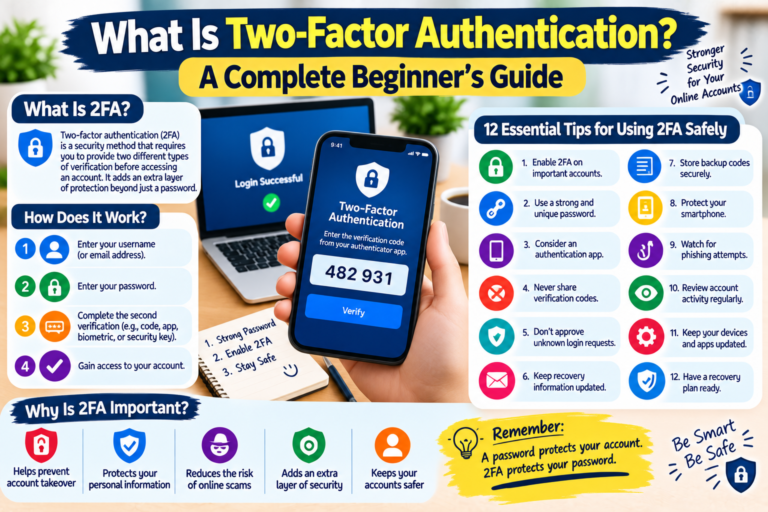
- Two-factor authentication
- Login notifications
- Account recovery options
- Device or session management
No single security feature guarantees complete protection, but multiple security controls can provide better protection than relying on a password alone.
9. Understand Pricing Before Using the Service
If an online service charges money, make sure you understand the pricing before signing up.
Check whether the service includes:
- One-time fees
- Monthly charges
- Annual subscriptions
- Free trials
- Renewal charges
- Additional fees
- Cancellation requirements
A service should make its important costs reasonably clear.
Avoid entering payment information when you do not understand how much you will be charged or when the next payment will occur.
10. Check Whether the Service Is Suitable for You
A popular service is not necessarily the best service for every person.
Think about what you actually need.
Consider:
- Features
- Ease of use
- Cost
- Privacy
- Security
- Customer support
- Device compatibility
- Availability in your region
For example, a user who only needs a simple productivity tool may not need a service designed for large organizations.
Choosing a service based on your actual needs can help you avoid unnecessary costs and complexity.
11. Avoid Services That Pressure You
Be cautious when a website constantly pressures you to make an immediate decision.
Warning signs can include:
- Extremely urgent messages
- Countdown timers with unclear explanations
- Repeated payment requests
- Claims that an offer will disappear immediately
- Requests for unnecessary personal information
- Pressure to invite other people before understanding the service
A trustworthy service should give users enough information to understand what they are agreeing to.
Take your time and research before making an important decision.
12. Start Carefully With an Unfamiliar Service
If you have researched a service and decide to try it, start cautiously.
You can begin by:
- Creating a basic account
- Testing the main features
- Reviewing privacy settings
- Checking customer support
- Monitoring account activity
- Understanding how cancellation works
Avoid immediately providing more personal information than necessary.
This approach can help you evaluate whether the service is actually suitable for you.
How to Compare Different Online Services
When several services offer similar features, create a simple comparison.
Consider the following factors:
| Factor | What to Check |
|---|---|
| Security | Login protection and account controls |
| Privacy | Data collection and sharing practices |
| Price | Total cost and renewal terms |
| Features | Tools included with the service |
| Support | Available customer assistance |
| Reputation | Independent user experiences |
| Reliability | Service performance and availability |
| Usability | Ease of use |
A comparison can make it easier to choose a service based on facts rather than advertising alone.
What Should You Do If You No Longer Trust a Service?
Sometimes you may decide that an online service is no longer suitable.
If you want to stop using it, consider these steps:
- Review the account settings.
- Download information you want to keep.
- Cancel active subscriptions if necessary.
- Remove saved payment methods when appropriate.
- Disconnect third-party applications.
- Change passwords if you reused them elsewhere.
- Delete the account if that option is available.
- Check whether your personal information remains accessible.
Before deleting an account, check the service’s instructions because the process can vary between platforms.
Simple Online Service Safety Checklist
Before using an unfamiliar online service, ask yourself:
- Did I research the service?
- Did I check the official website address?
- Did I review the privacy policy?
- Did I check the terms and conditions?
- Is there clear contact information?
- Did I look at independent reviews?
- Does the requested information make sense?
- Does the service provide useful security features?
- Do I understand the pricing?
- Does the service meet my needs?
- Am I being pressured to act quickly?
- Can I safely stop using the service if necessary?
Frequently Asked Questions
How can I tell whether an online service is reliable?
Research the service, check its official website, review privacy and terms information, look for independent reviews, and evaluate its security and customer-support options.
Should I trust a service just because it has a professional website?
No. A professional appearance does not guarantee that a service is reliable. Look at other factors such as reputation, policies, security features, and customer support.
Why should I read a privacy policy?
A privacy policy can explain what information a service collects and how that information may be used or shared. This can help you decide whether the service is appropriate for you.
How can I compare two online services?
Compare their security, privacy practices, features, pricing, customer support, reputation, reliability, and ease of use. Choose the service that best matches your actual needs.
Should I provide all the information an online service requests?
Not necessarily. Consider why the information is needed and whether it is relevant to the service. Avoid providing unnecessary sensitive information.
What should I do if an online service pressures me to pay immediately?
Stop and investigate before paying. Review the service independently, understand the pricing and terms, and make sure you know exactly what you are purchasing.
Final Thoughts
Choosing a reliable online service is an important part of staying safe on the internet.
Instead of choosing a platform only because it has attractive advertisements or popular features, take time to research the service and understand how it works.
Check the website address, read important privacy and account information, investigate reviews, understand pricing, and evaluate security features before providing sensitive information or making payments.
You do not need to be a technology expert to make better online decisions. A careful and informed approach can help you avoid many common problems.
Research first, understand the service, protect your information, and make decisions at your own pace.