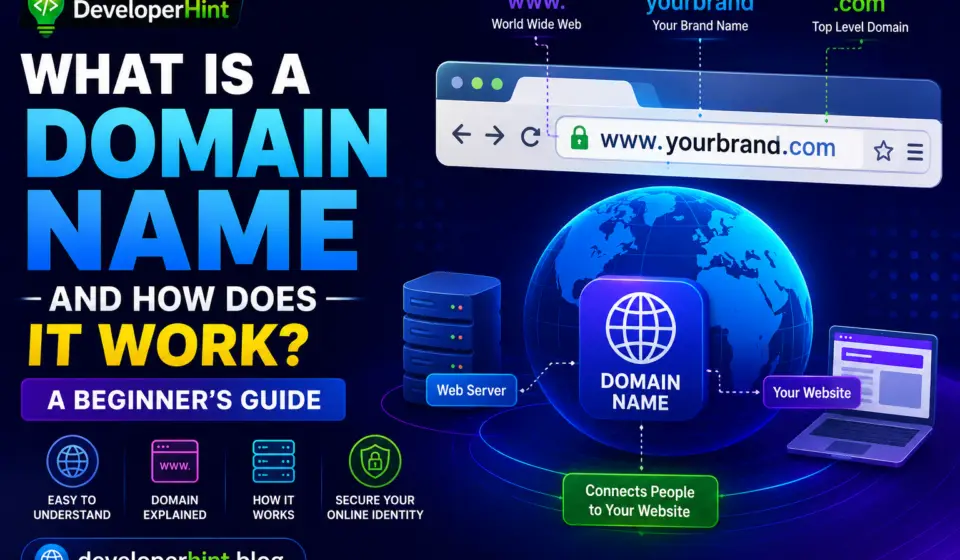
What Is a URL and How Does It Work? A Beginner’s Guide
Every time you visit a website, you usually type something into your browser’s address bar or click a link. The text that identifies the location of a webpage is called a URL.
You may see URLs every day without thinking about what they actually mean. A URL can contain a domain name, a protocol, a path, a query, and other information that helps a browser find the correct online resource.
Understanding URLs is useful for anyone who uses the internet. In this beginner’s guide, we will explain what a URL is, what its different parts mean, how URLs work, and how to identify a safe and reliable web address.
What Is a URL?
URL stands for Uniform Resource Locator.
A URL is an address used to locate a resource on the internet or another network.
A resource can be:
- A webpage
- An image
- A video
- A document
- A file
- An online service
- Another type of internet resource
For example:
This URL tells a web browser how to access a particular resource.
What Does a URL Do?
A URL provides information that helps a browser locate and access a resource.
When you enter a URL into a browser, several things can happen:
- The browser reads the URL.
- It identifies the communication protocol.
- It determines the domain name.
- The domain is translated into an IP address through DNS.
- The browser connects to the appropriate server.
- The server processes the request.
- The requested resource is returned to the browser.
This entire process can happen within seconds.
The Main Parts of a URL
A URL can contain several different components.
Consider this example:
It can be divided into different parts.
1. Protocol
The first part is:
https://
This is the protocol used for communication between the browser and the website.
The most common protocol you will see on modern websites is HTTPS.
2. Subdomain
In:
the www part can be a subdomain.
Websites can also use other subdomains, such as:
- blog.example.com
- shop.example.com
- support.example.com
- mail.example.com
A website does not have to use the www subdomain.
3. Domain Name
In:
the domain name identifies the website’s domain.
A domain normally contains a name and a domain extension.
Examples of domain extensions include:
- .com
- .org
- .net
- .edu
- .gov
There are also many newer domain extensions available.
4. Path
In:
the:
/products/phone
part is called the path.
The path helps identify a specific resource or location on the website.
For example:
example.com/about
could point to an About page, while:
example.com/contact
could point to a Contact page.
5. Query Parameters
A URL can also contain additional information after a question mark.
For example:
Here, color=black is a query parameter.
Websites can use query parameters to provide information to a webpage or application.
Multiple parameters can be separated with an ampersand:
The exact purpose of query parameters depends on the website.
What Is HTTPS?
HTTPS stands for Hypertext Transfer Protocol Secure.
It helps protect information exchanged between a browser and a website by using encryption.
When you see a URL beginning with:
https://
the connection is designed to use HTTPS.
Modern websites commonly use HTTPS because it helps protect data while it travels between the user’s browser and the website.
HTTP vs. HTTPS
HTTP and HTTPS are related protocols, but HTTPS provides an encrypted connection using TLS.
HTTP
- Does not provide the same transport encryption as HTTPS.
- Information sent over an HTTP connection can be more vulnerable to interception.
- It is generally not preferred for modern websites.
HTTPS
- Uses encryption for the connection.
- Helps protect information during transmission.
- Is widely used by modern websites.
Seeing HTTPS is a positive security indicator, but it does not automatically mean that a website itself is trustworthy.
A fraudulent website can also use HTTPS.
What Is a Domain Name?
A domain name is the human-readable name used to access a website.
For example:
example.com
is easier for people to remember than a numerical IP address.
When you enter a domain into your browser, DNS helps find the IP address associated with that domain.
The browser can then connect to the appropriate server.
What Is DNS?
DNS stands for Domain Name System.
Computers communicate using IP addresses, but people generally prefer easy-to-remember domain names.
DNS helps connect the two.
For example:
example.com → IP address
The DNS system can locate the IP address associated with a domain so that the browser can contact the correct server.
What Is a URL Shortener?
A URL shortener converts a long web address into a shorter link.
For example, a long URL containing many characters can be represented by a short address.
URL shorteners can be useful for:
- Social media posts
- Messages
- Marketing campaigns
- Printed materials
- Sharing links
However, shortened URLs can hide the final destination. If you receive a shortened link from an unknown source, be careful before opening it.
What Is a Relative URL?
A relative URL is an address that describes a resource relative to the current webpage or website location.
For example:
/about
could refer to an About page on the same website.
Web developers often use relative URLs when creating links between pages on the same website.
What Is an Absolute URL?
An absolute URL contains the complete address of a resource.
For example:
It includes the protocol and domain, along with the path.
Absolute URLs are useful when a complete web address is needed.
Why Do URLs Matter for Websites?
URLs are important for both users and website owners.
A clear URL can make it easier for visitors to understand what a webpage is about.
For example:
example.com/online-safety-tips
is easier to understand than a URL containing a random collection of numbers and characters.
Well-organized URLs can also make websites easier to manage and navigate.
How to Create a Good URL
Website owners can follow several simple practices when creating URLs.
Keep URLs Simple
Use short and meaningful words when possible.
Describe the Page
The URL should provide some indication of what the page contains.
Avoid Unnecessary Characters
Avoid adding unnecessary symbols or complicated strings when they are not needed.
Use Clear Words
Readable words are generally easier for users to understand.
Use Hyphens for Separate Words
Many websites use hyphens between words.
For example:
example.com/online-safety-guide
is easier to read than:
example.com/onlinesafetyguide
How to Check a URL Before Opening It
You can take a few simple steps before opening an unfamiliar link.
Check the Domain
Look carefully at the main domain name.
Scammers sometimes create addresses that look similar to legitimate websites.
Look for HTTPS
Check whether the website uses HTTPS.
Remember that HTTPS protects the connection but does not guarantee that the website is legitimate.
Watch for Misspellings
Be careful with domains containing unusual spelling or extra characters.
Be Careful With Unexpected Links
If a link arrives unexpectedly through email, social media, or a message, consider whether you were actually expecting it.
Preview Links When Possible
Some applications allow you to see where a link leads before opening it.
What Is a Malicious URL?
A malicious URL is a web address designed to lead users to harmful or deceptive content.
It may be used for:
- Phishing
- Malware distribution
- Fake login pages
- Fraud
- Unwanted downloads
- Other harmful activities
Never enter sensitive information into a website simply because its URL looks professional.
Common URL Mistakes
Internet users often make simple mistakes when dealing with URLs.
Mistake 1: Ignoring the Domain
A familiar-looking page does not necessarily mean the domain is legitimate.
Mistake 2: Trusting HTTPS Completely
HTTPS is important, but it does not prove that a website is trustworthy.
Mistake 3: Clicking Every Link
Unexpected links can lead to unsafe websites.
Mistake 4: Sharing Sensitive URLs
Some URLs contain private access tokens or other sensitive information. Avoid publicly sharing such links when they provide access to personal resources.
Mistake 5: Using Very Complicated URLs
Website owners should avoid unnecessary URL complexity when a simpler structure is possible.
URL Safety Checklist
Before opening an unfamiliar URL, remember these basic tips:
- Check the spelling of the domain.
- Look for HTTPS.
- Be careful with shortened links.
- Avoid unexpected downloads.
- Do not enter passwords on suspicious websites.
- Check the website’s domain carefully.
- Avoid sharing private access links publicly.
- Keep your browser updated.
- Use reputable security software when appropriate.
- If a link seems suspicious, do not open it.
Frequently Asked Questions
1. What does URL stand for?
URL stands for Uniform Resource Locator.
2. Is a URL the same as a domain name?
No. A domain name is one part of many URLs. A complete URL can also include a protocol, path, query parameters, and other components.
3. Is HTTPS safe?
HTTPS provides encryption for the connection between your browser and the website. However, HTTPS alone does not prove that the website is legitimate or trustworthy.
4. Can a URL contain a password?
A properly designed website should not normally place passwords in URLs. Sensitive information should not be unnecessarily included in URLs because URLs can sometimes be stored in browser history, logs, analytics systems, or other locations.
5. Can a URL change?
Yes. Website owners can change page addresses, domain names, paths, or other parts of a URL.
6. What should I do if a URL looks suspicious?
Do not open it or provide personal information. Check the domain carefully and, when appropriate, navigate directly to the official website instead of using an unexpected link.
Final Thoughts
URLs are an essential part of the modern internet. They provide browsers with the information needed to locate webpages, files, images, services, and other online resources.
The basic parts of a URL include the protocol, domain, path, and optional query parameters. Understanding these components can help you navigate websites more confidently and recognize potentially suspicious links.
Whether you are a regular internet user or someone building a website, learning how URLs work is a useful step toward understanding the wider world of the internet.