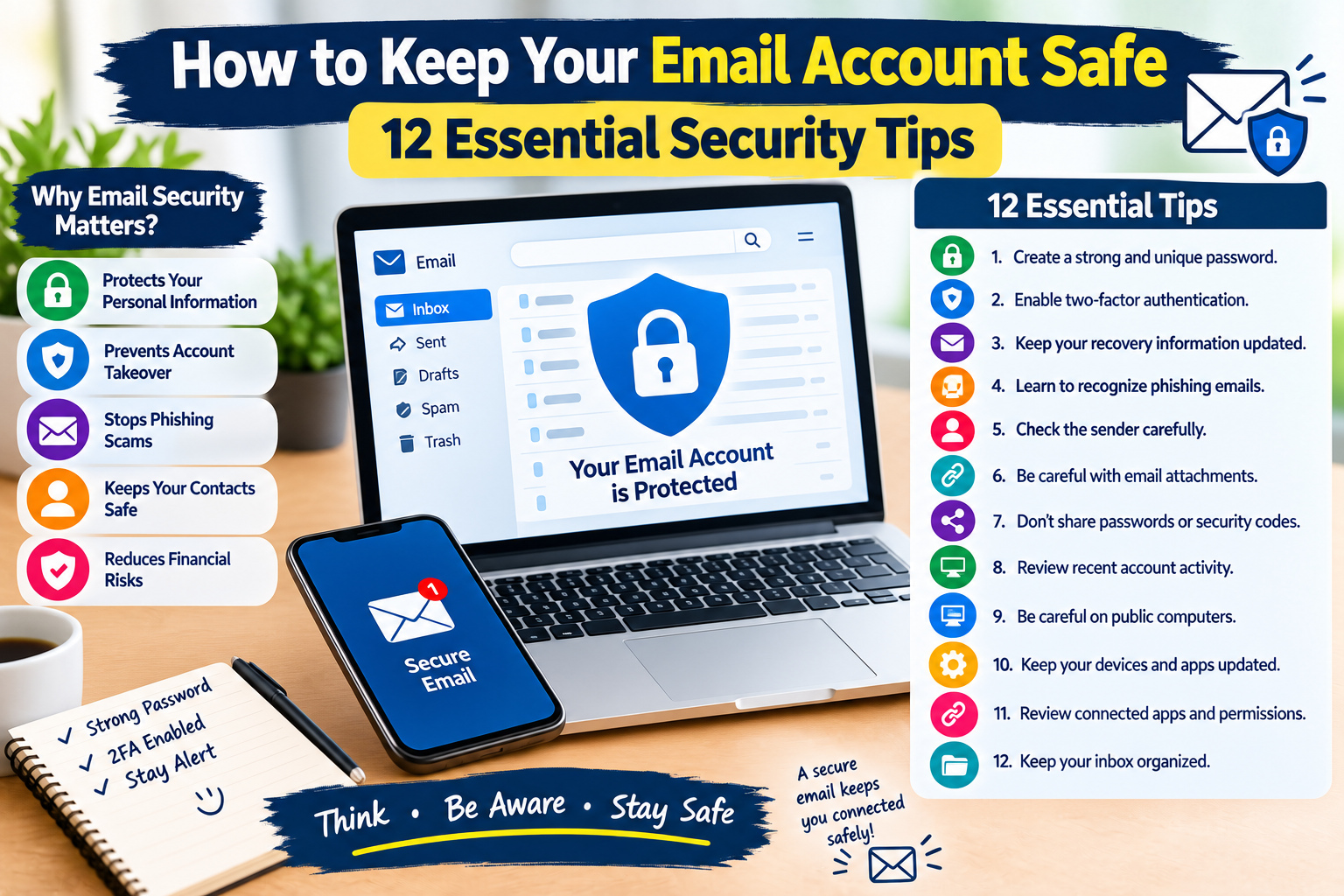
How to Keep Your Email Account Safe: 12 Essential Security Tips
Email is one of the most widely used communication tools on the internet. People use email accounts for personal communication, work, education, online shopping, account registration, password recovery, and many other activities.
Because email accounts are connected to so many online services, protecting your email is an important part of staying safe online.
If someone gains unauthorized access to your email account, they may potentially use it to reset passwords, view private messages, access account information, or impersonate you.
Fortunately, improving email security does not require advanced technical skills. Simple habits can make your account much harder to compromise.
In this guide, you will learn 12 practical ways to protect your email account from common online security risks.
Why Is Email Security Important?
Your email account may contain years of personal and professional information.
It may also be connected to other accounts through password-reset and recovery features.
A compromised email account could potentially expose:
- Private messages
- Contact information
- Account notifications
- Online receipts
- Personal documents
- Password-reset links
- Shopping information
- Work or school communication
For this reason, your primary email account should receive strong security protection.
1. Create a Strong and Unique Password
Your email password should be difficult to guess and different from passwords used on other websites.
Avoid using information such as:
- Your name
- Birthday
- Phone number
- Simple number sequences
- Common words
- Easy-to-guess personal information
A unique password is especially important because password reuse can allow one compromised website to put other accounts at risk.
2. Enable Two-Factor Authentication
Two-factor authentication adds an additional security step when you sign in.
Depending on your email provider, you may be able to use:
- An authentication application
- A security key
- A verification code
- Another supported authentication method
With an additional verification step enabled, knowing your password alone may not be enough to access the account.
3. Protect Your Recovery Information
Email providers often use recovery information to help users regain access to their accounts.
Review your recovery options periodically and make sure they are current.
Depending on the service, recovery information may include:
- Recovery email address
- Recovery phone number
- Backup authentication methods
Only use recovery information that you control and keep it updated.
4. Learn to Recognize Phishing Emails
Phishing emails are designed to trick users into clicking links, opening files, or revealing information.
A suspicious message may pretend to come from:
- A bank
- An online store
- A delivery company
- A social media platform
- A government organization
- A workplace
- A technical-support team
Be cautious when an unexpected email asks you to act urgently.
Instead of clicking the included link, visit the organization’s official website directly.
5. Check the Sender Carefully
The name displayed in an email is not always enough to determine who sent the message.
Look at the actual sender address when something seems unusual.
Watch for:
- Misspelled domain names
- Unusual addresses
- Unexpected attachments
- Messages pretending to be someone you know
- Requests for passwords or financial information
A familiar-looking display name does not automatically mean that the message is genuine.
6. Be Careful With Email Attachments
Unexpected attachments can create security risks.
Do not open an attachment simply because the message claims that it is urgent.
Be particularly careful with unfamiliar files or attachments that you were not expecting.
If you receive a suspicious attachment from someone you know, contact that person through another method to confirm that they actually sent it.
7. Do Not Share Passwords or Security Codes
Never share your email password with another person.
You should also be cautious about sharing verification codes.
Legitimate services generally have their own secure authentication systems and should not require you to send your password through email, text messages, or social media.
If someone unexpectedly asks for a security code, stop and verify the request before doing anything.
8. Review Recent Account Activity
Many email services provide tools that show recent sign-ins, devices, or account activity.
Review this information periodically.
Look for:
- Unknown devices
- Unexpected locations
- Unfamiliar login times
- Suspicious sessions
If you notice activity you do not recognize, secure your account immediately by changing your password and reviewing account-security settings.
9. Be Careful When Using Public Computers
Public computers in libraries, hotels, schools, offices, or other shared locations may not be as secure as your personal device.
If you must access your email from a public computer:
- Avoid saving your password.
- Do not allow the browser to remember login information.
- Sign out when finished.
- Close the browser.
- Avoid accessing highly sensitive information when possible.
Never leave your email account open on a shared computer.
10. Keep Your Devices Updated
Email security also depends on the security of the device you use to access your account.
Keep your:
- Smartphone
- Computer
- Web browser
- Email application
- Operating system
updated.
Software updates may include important security fixes.
You should also install applications only from sources you trust.
11. Review Connected Apps and Permissions
Some email accounts can be connected to third-party applications and services.
Over time, you may give different applications permission to access parts of your account.
Review connected applications periodically.
Remove access for services that:
- You no longer use
- You do not recognize
- No longer need access
- You no longer trust
Reducing unnecessary account permissions can help improve your overall security.
12. Keep Your Inbox Organized
Good email organization can also improve security awareness.
Delete or archive unnecessary messages and be careful with old emails containing sensitive information.
You can create folders for:
- Work
- Education
- Shopping
- Personal communication
- Important documents
If an email contains sensitive information that you no longer need, consider whether it should remain in your account.
What Should You Do If Your Email Account Is Hacked?
If you believe someone has accessed your email account without permission, act quickly.
Consider these steps:
- Change your password immediately.
- Enable two-factor authentication.
- Sign out of unfamiliar devices and sessions.
- Review recovery information.
- Check connected applications.
- Review recent account activity.
- Look for suspicious forwarding rules.
- Check whether messages were sent without your permission.
- Change passwords for important accounts connected to your email.
- Contact your email provider if necessary.
If your email account is used for password recovery on other services, review those accounts as well.
Watch for Suspicious Email Forwarding Rules
Some email accounts support automatic forwarding and filtering rules.
If an attacker gains access to your account, they may attempt to create rules that automatically forward incoming messages elsewhere.
Check your email settings for forwarding addresses or rules that you did not create.
Remove anything unfamiliar and change your password immediately.
How to Make Your Email More Private
Security and privacy are related but not identical.
To improve email privacy:
- Avoid sharing your email address publicly when unnecessary.
- Use separate email addresses for different purposes when practical.
- Be careful when signing up for unfamiliar websites.
- Review privacy settings.
- Avoid sending highly sensitive information through ordinary email unless appropriate protection is available.
- Delete unnecessary messages containing personal information.
A simple privacy-conscious approach can reduce unwanted messages and unnecessary exposure.
Simple Email Security Checklist
Use this checklist to review your email account:
- Use a strong, unique password.
- Enable two-factor authentication.
- Keep recovery information updated.
- Learn to recognize phishing messages.
- Check suspicious sender addresses.
- Avoid unexpected attachments.
- Never share passwords or security codes.
- Review recent account activity.
- Be careful on public computers.
- Keep your device and browser updated.
- Review connected applications.
- Check forwarding and filtering settings.
Frequently Asked Questions
Why is email security so important?
Email accounts are often connected to many other online services. If an attacker gains access, they may potentially use the email account to access private information or reset other account passwords.
Should I use the same password for my email and other websites?
No. Your email account should have a unique password that is not reused on other websites.
Is two-factor authentication necessary for email?
Two-factor authentication provides an additional layer of account protection and is strongly worth considering when your email provider supports it.
How can I identify a phishing email?
Look for unexpected requests, urgent language, suspicious links, unusual sender addresses, unexpected attachments, and requests for sensitive information.
What should I do if I clicked a suspicious email link?
If you entered a password or other sensitive information, change the affected password immediately and enable additional account-security features. If you downloaded a suspicious file, avoid opening it and consider using appropriate security software to check your device.
How often should I review my email security settings?
There is no universal schedule, but reviewing important security settings periodically is a useful habit. You should also check them whenever you notice unusual account activity.
Final Thoughts
Your email account is an important part of your digital life, so protecting it should be a priority.
Use a strong and unique password, enable two-factor authentication, protect your recovery information, recognize phishing attempts, and review account activity regularly.
Be cautious with unexpected links and attachments, keep your devices updated, and remove unnecessary third-party access.
Most importantly, remember that online security is not a one-time task. Small security habits practiced consistently can make a significant difference in protecting your email and other online accounts.