How to Use Social Media Safely: 12 Essential Privacy and Security Tips
Social media has become an important part of everyday life. People use platforms such as social networks, messaging apps, and online communities to communicate with friends, share photos, follow news, promote businesses, and discover new information.
However, social media also creates privacy and security risks. Oversharing personal information, clicking suspicious links, accepting unknown requests, or using weak passwords can put an account at risk.
The good news is that you can reduce many of these risks by following a few simple security and privacy practices.
In this guide, you will learn 12 essential social media safety tips that can help protect your accounts, personal information, photos, and online identity.
What Is Social Media Safety?
Social media safety means using online social platforms responsibly while protecting your personal information, accounts, devices, and privacy.
Good social media security includes:
- Using strong passwords
- Enabling two-factor authentication
- Controlling privacy settings
- Being careful about friend and follow requests
- Avoiding suspicious links
- Limiting the information you share publicly
- Keeping your apps updated
- Monitoring account activity
Social media safety is not only about protecting your account. It is also about thinking carefully before sharing information online.
Why Is Social Media Privacy Important?
Information shared on social media can sometimes spread much further than expected. A public post, photo, or comment may be copied, downloaded, or shared by other people.
Protecting your privacy can help reduce risks such as:
- Account theft
- Online scams
- Identity misuse
- Unwanted contact
- Phishing attacks
- Privacy violations
- Reputation problems
A few minutes spent reviewing your security settings can make your social media experience much safer.
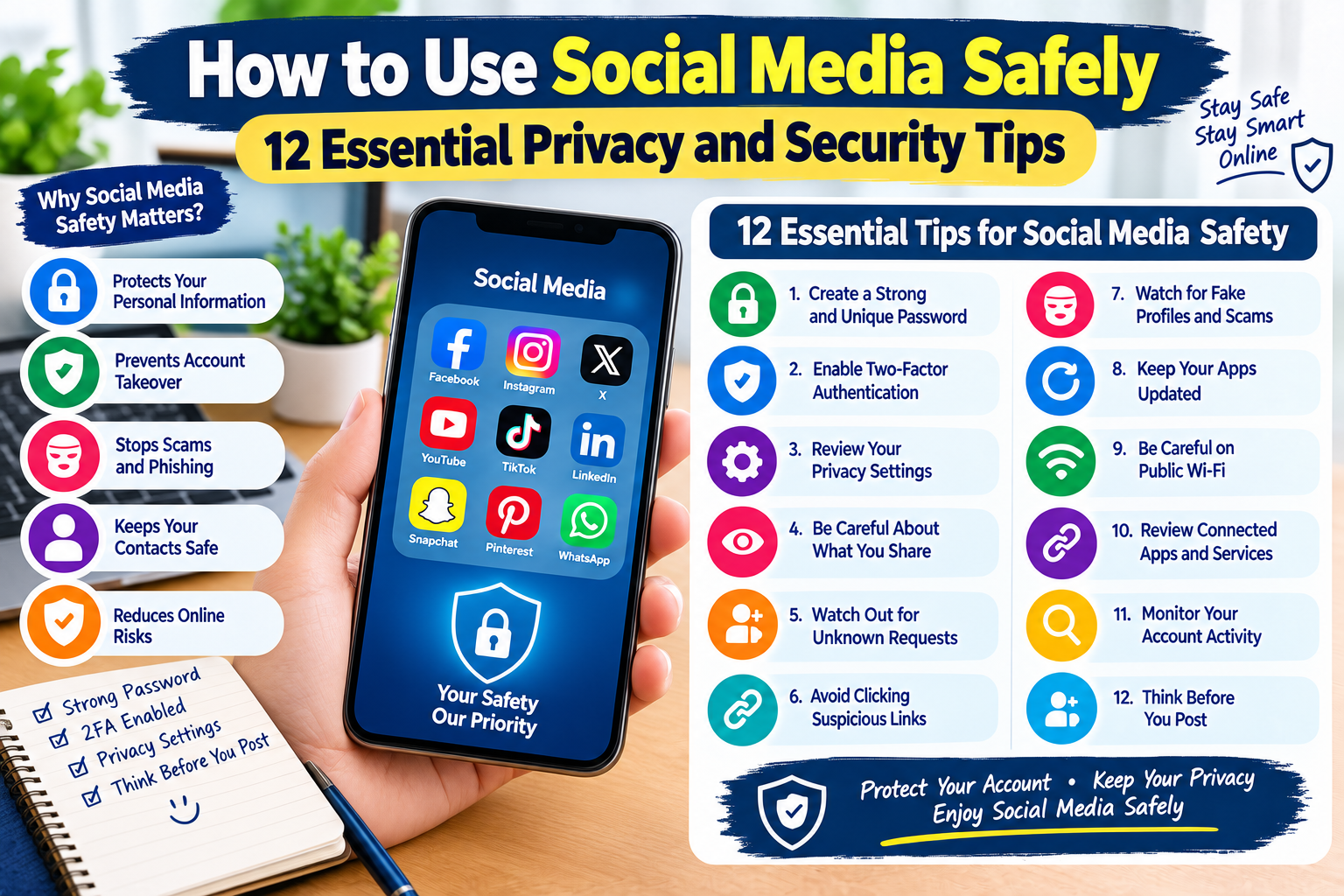
12 Essential Social Media Safety Tips
1. Create a Strong and Unique Password
Your social media password should be difficult for other people to guess.
Avoid simple passwords based on:
- Your name
- Birthday
- Phone number
- Favorite team
- Common words
- Simple number combinations
Use a long password or passphrase containing a combination of letters, numbers, and symbols where supported.
Most importantly, do not reuse the same password across multiple accounts. If one account is compromised, reused passwords can put your other accounts at risk.
2. Enable Two-Factor Authentication
Two-factor authentication, often called 2FA, adds another security layer to your account.
When 2FA is enabled, signing in may require both your password and another verification method, such as an authentication code.
This means that even if someone obtains your password, they may still be unable to access your account.
If your social media platform offers 2FA, consider enabling it.
3. Review Your Privacy Settings
Social media platforms usually provide privacy settings that control who can see your information.
Review settings for:
- Posts
- Photos
- Stories
- Profile information
- Friend or follow requests
- Location information
- Search visibility
- Tagged posts
You do not always need to make everything public.
Choose privacy settings that match your comfort level and the purpose of your account.
4. Be Careful About What You Share
Think before posting personal information.
Avoid publicly sharing unnecessary details such as:
- Your home address
- Personal phone number
- Financial information
- Passwords
- Security codes
- Travel plans
- Private documents
- Exact daily routines
Even information that seems harmless can sometimes be combined with other details to create a more complete picture of your life.
A useful rule is:
If you would not want a stranger to know it, consider whether it really needs to be public.
5. Be Careful With Unknown Friend Requests
Not every friend, follower, or connection request comes from a real person.
Scammers sometimes create fake profiles using stolen photos or copied information.
Before accepting a request, consider:
- Do you recognize the person?
- Do you have mutual connections?
- Does the profile look genuine?
- Are the account’s posts consistent?
- Was the account recently created?
- Is the person asking for money or personal information?
If something seems suspicious, you can simply decline or ignore the request.
6. Don’t Click Suspicious Links
Social media is commonly used to distribute misleading links.
A suspicious message may claim:
- You won a prize
- Your account will be deleted
- You have received a payment
- Your password needs to be verified
- You have been selected for an offer
- Someone has reported your account
Do not immediately click the link.
Instead, open the official app or website yourself and check your account there.
7. Watch Out for Fake Profiles and Scams
Fake accounts can look convincing. Some scammers copy the name, profile picture, and basic information of real people.
Be especially careful if a new online contact:
- Quickly asks for money
- Requests private information
- Sends unusual links
- Asks for verification codes
- Pressures you to act immediately
- Promises unrealistic rewards
Never share passwords or security codes with another person through social media.
8. Keep Your Social Media Apps Updated
Updates can include security improvements and bug fixes.
Using an outdated social media application may expose your device to problems that have already been addressed by the developer.
Enable automatic updates when appropriate, or regularly check your device’s app store for available updates.
You should also keep your phone or computer’s operating system updated.
9. Be Careful When Using Public Wi-Fi
Public Wi-Fi can be convenient in places such as airports, hotels, cafes, and shopping centers.
However, you should be careful when accessing sensitive accounts over networks you do not control.
Avoid entering highly sensitive information on unfamiliar networks unless you have appropriate security protections.
When possible, use a trusted network and make sure websites use HTTPS.
10. Review Connected Apps and Services
Some social media accounts allow third-party applications to connect to your profile.
Over time, you may authorize apps that you no longer use.
Review connected applications periodically and remove access that is no longer necessary.
This can help reduce the number of services that have permission to interact with your account.
11. Monitor Your Account Activity
Many social platforms provide information about recent logins, devices, or account sessions.
Check this information occasionally.
If you see a login or device that you do not recognize:
- Secure your account immediately.
- Change your password.
- Sign out of unfamiliar sessions.
- Enable two-factor authentication.
- Review connected applications.
- Check your account recovery information.
Acting quickly can help limit unauthorized access.
12. Think Before You Post
Once something is posted online, controlling where it goes can be difficult.
Before posting a photo, comment, video, or personal update, ask yourself:
Would I be comfortable if this information were seen by someone outside my intended audience?
This simple habit can prevent many privacy and reputation problems.
Remember that deleting a post does not always mean every copy has disappeared. Other people may have already saved or shared it.
What Should You Do If Your Social Media Account Is Hacked?
If you believe someone has accessed your account without permission, take action quickly.
Step 1: Change Your Password
If you still have access to the account, change your password immediately.
Use a new password that you have not used anywhere else.
Step 2: Sign Out of Unknown Devices
Look for account sessions or devices you do not recognize and sign them out.
Step 3: Enable Two-Factor Authentication
Turn on 2FA to add another layer of protection.
Step 4: Check Your Account Information
Look for unauthorized changes to:
- Email address
- Phone number
- Username
- Profile information
- Connected applications
- Recovery options
Step 5: Warn Your Contacts
If someone has posted suspicious content or sent unusual messages from your account, let your contacts know that the account may have been compromised.
Simple Social Media Security Checklist
Use this checklist to improve your online safety:
- Use a strong, unique password
- Enable two-factor authentication
- Review privacy settings
- Limit unnecessary personal information
- Be careful with unknown requests
- Avoid suspicious links
- Watch for fake profiles
- Keep apps and devices updated
- Be cautious on public Wi-Fi
- Review connected applications
- Monitor account activity
- Think before posting
Frequently Asked Questions
Is social media safe to use?
Social media can be used safely when you follow basic security and privacy practices. No online platform is completely risk-free, so staying alert is important.
Should my social media account be private?
A private account can give you more control over who can see your content. However, the best setting depends on how you use the platform.
Should I accept requests from people I don’t know?
It is safer to avoid accepting unknown accounts unless you have a good reason to trust the person.
Can someone hack my account with only my username?
A username alone normally does not provide account access. However, attackers may use usernames as part of phishing, password attacks, or social engineering attempts.
Should I share my verification code?
No. Verification codes are designed to help protect your account. Do not share them with strangers or people who unexpectedly request them.
How often should I check my privacy settings?
It is a good idea to review your privacy and security settings periodically, especially after major changes to a platform’s features or settings.
Final Thoughts
Social media can be a useful way to communicate, learn, and stay connected, but responsible use is important.
Strong passwords, two-factor authentication, privacy controls, careful link handling, and awareness of fake profiles can significantly improve your online security.
You do not need to become a cybersecurity expert to protect yourself. Start with the basics, review your settings regularly, and think carefully before sharing information.
Stay informed, protect your privacy, and use social media responsibly.