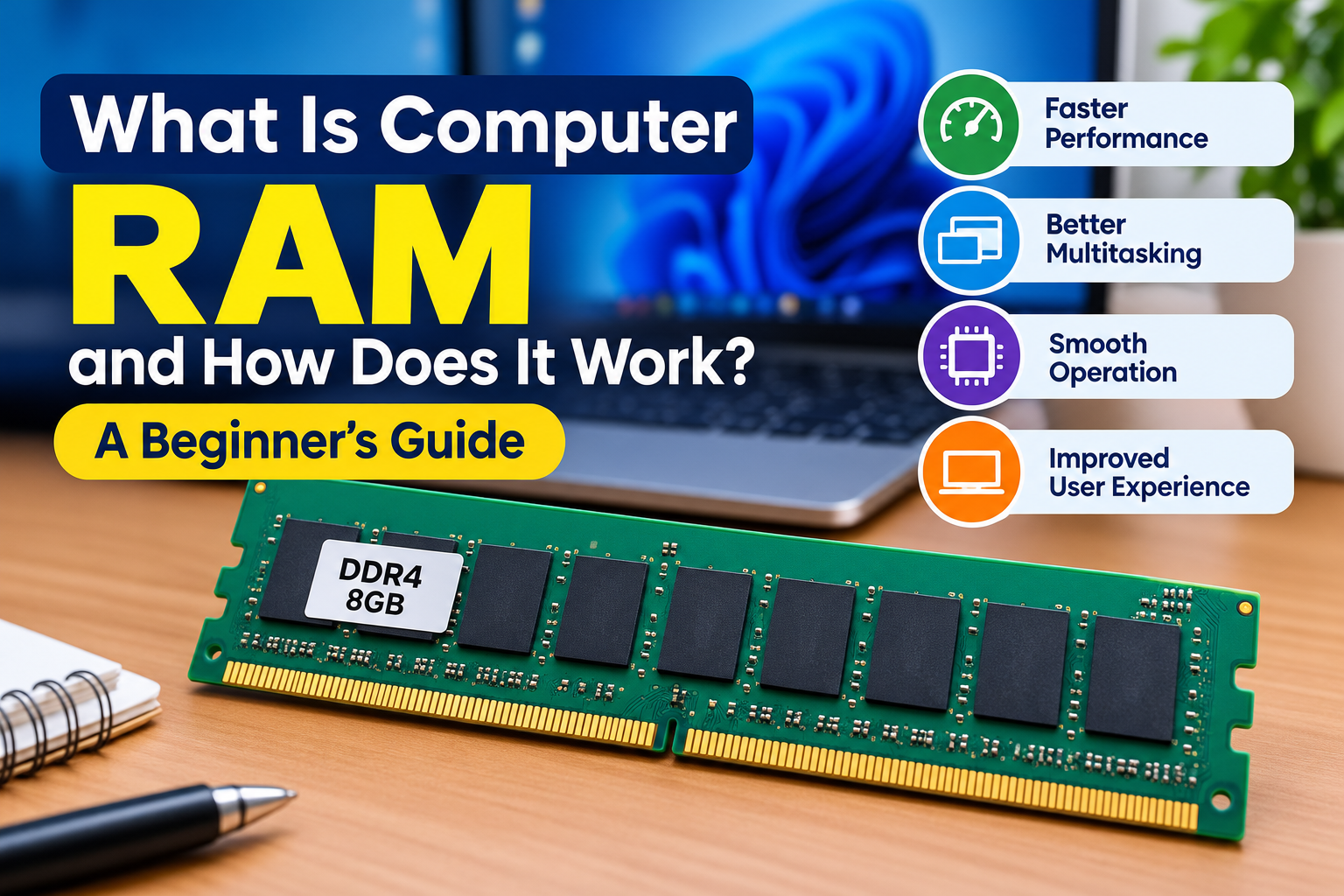
What Is Computer RAM and How Does It Work? A Beginner’s Guide
When you open an application, browse the internet, edit a document, or play a game on a computer, your device needs a place to temporarily store the information it is actively using. This is where RAM, or Random Access Memory, plays an important role.
RAM is one of the basic components found in computers, laptops, smartphones, tablets, and many other electronic devices. It helps the processor access information quickly while applications are running.
In this beginner-friendly guide, we will explain what RAM is, how it works, why it matters, how much RAM a computer may need, and the difference between RAM and storage.
What Is RAM?
RAM stands for Random Access Memory.
It is a type of temporary computer memory used to hold data that a device is currently working with.
For example, when you open a web browser, the operating system loads information into RAM so the processor can work with it efficiently.
Unlike permanent storage, RAM is generally volatile memory, which means its contents are lost when the device is powered off.
Why Is RAM Important?
RAM helps a computer manage active tasks.
When you have several applications open at the same time, the operating system uses RAM to keep the information needed by those applications readily available.
More RAM can be helpful when:
- Running multiple applications
- Opening many browser tabs
- Editing photos or videos
- Working with large documents
- Using demanding software
- Performing several tasks at once
However, simply having more RAM does not automatically make every computer faster. Overall performance also depends on the processor, storage, software, and other components.
How Does RAM Work?
A simplified process looks like this:
- You open an application.
- The operating system loads necessary data into RAM.
- The processor accesses that data.
- The application performs its tasks.
- RAM continues holding active information while the application is being used.
RAM provides much faster access than traditional long-term storage, which is why it is useful for active tasks.
RAM vs. Storage
RAM and storage are not the same thing.
RAM temporarily holds information that the computer is actively using.
Storage keeps files and programs for longer periods.
For example:
- RAM: active applications and temporary working data
- Storage: photos, videos, documents, applications, and the operating system
A computer can have both RAM and storage, and each performs a different job.
What Happens When RAM Is Full?
When available RAM becomes limited, the operating system may need to move some data between RAM and storage.
This can be slower than working entirely within RAM.
Users may notice:
- Slower application switching
- Delayed responses
- Longer loading times
- Reduced multitasking performance
The exact behavior depends on the operating system, hardware, and applications being used.
How Much RAM Does a Computer Need?
There is no single amount that is perfect for everyone.
The right amount depends on how you use your computer.
For example:
Basic Everyday Use
For web browsing, email, documents, and simple tasks, a modest amount of RAM may be sufficient.
Multitasking
People who regularly use multiple applications and browser tabs may benefit from additional RAM.
Creative Work
Photo editing, video editing, design software, and other demanding applications may require more memory.
Gaming
Modern games can also benefit from having enough RAM, although graphics memory and other hardware components are important too.
The best choice depends on your operating system, applications, and workload.
What Is RAM Capacity?
RAM capacity refers to how much data the memory can hold at one time.
It is commonly measured in:
- Gigabytes (GB)
- Sometimes terabytes (TB) in specialized systems
For example, a computer might have 8 GB, 16 GB, or 32 GB of RAM.
More capacity allows the system to keep more active information available, but the benefit depends on what you are doing.
What Is RAM Speed?
RAM also has performance characteristics related to how quickly it can transfer data.
Modern memory specifications can include information about:
- Data transfer rate
- Latency
- Memory generation
- Operating voltage
For everyday users, capacity and compatibility are often more important than focusing only on a single speed number.
What Is DDR RAM?
DDR stands for Double Data Rate.
DDR memory technology has developed through several generations, including:
- DDR3
- DDR4
- DDR5
Newer generations can provide improvements in performance and efficiency, but memory generations are not always interchangeable.
A computer motherboard is designed to support specific types of memory.
Can You Add More RAM?
Some desktop computers allow users to upgrade RAM relatively easily.
Laptops vary. Some models have replaceable memory, while others use memory that is integrated into the motherboard.
Before upgrading, you should check:
- Maximum supported RAM
- Compatible memory type
- Number of memory slots
- Supported capacity
- Device specifications
Installing incompatible memory may prevent the computer from operating correctly.
What Is Virtual Memory?
Virtual memory is a system that uses storage space to help manage memory when physical RAM is under pressure.
It does not work exactly like physical RAM, and storage is generally much slower than RAM.
Virtual memory can help an operating system continue running when available physical memory becomes limited.
RAM and Multitasking
Multitasking means using several applications or performing multiple tasks at the same time.
For example, you might:
- Watch a video
- Keep several browser tabs open
- Edit a document
- Use a messaging application
- Listen to music
The operating system manages memory so that different applications can operate together.
Having enough RAM can make multitasking more comfortable.
Why Do Browser Tabs Use RAM?
Modern web browsers can run many processes and load complex webpages.
Each open tab may use memory for:
- Webpage content
- Images
- Scripts
- Extensions
- Background activity
Opening a large number of tabs can therefore increase memory usage.
If your browser uses too much RAM, closing unused tabs can sometimes improve system responsiveness.
Does More RAM Always Mean a Faster Computer?
No.
Adding more RAM can help when a computer does not have enough memory for its workload. However, if the system already has sufficient RAM, adding more may provide little noticeable benefit.
Computer performance also depends on:
- CPU
- Storage
- Graphics hardware
- Operating system
- Software
- Cooling
- Network connection
RAM is one component of the overall system.
RAM and Gaming
Games can use significant amounts of memory, especially modern titles with large environments and detailed assets.
However, gaming performance depends on several components.
These include:
- Processor
- Graphics processor
- RAM
- Storage
- Display resolution
- Game settings
Having sufficient RAM can help avoid memory-related limitations, but it is not the only factor that determines gaming performance.
RAM and Smartphones
RAM is not limited to desktop computers and laptops.
Smartphones also use RAM to manage applications and active tasks.
When you switch between mobile applications, the operating system manages memory in the background.
If memory becomes limited, the system may close or reload applications to free resources.
How to Check RAM on Your Computer
Most operating systems provide a way to view installed RAM.
On a Windows computer, for example, you can usually find basic memory information through the system settings or system information tools.
Other operating systems provide similar information through their system settings.
You can check:
- Installed RAM
- Available memory
- Memory usage
- System specifications
Common RAM Problems
RAM problems can sometimes cause unusual computer behavior.
Possible symptoms include:
- Unexpected crashes
- Freezing
- Application errors
- Restarting
- Slow performance
- Startup problems
However, these symptoms can have many different causes. A RAM-related problem should not be assumed simply because a computer is slow.
How to Maintain Good Memory Performance
You do not normally need to perform complicated maintenance on RAM.
Instead, focus on general system management:
- Keep your operating system updated.
- Close applications you are not using.
- Reduce unnecessary startup applications.
- Avoid running more demanding programs than your hardware can handle.
- Keep adequate free storage space.
- Restart the computer when necessary.
- Monitor unusual memory usage.
Common Misunderstandings About RAM
RAM Is the Same as Storage
It is not. RAM is mainly used for active tasks, while storage keeps files and programs for longer periods.
More RAM Always Makes a Computer Faster
More RAM helps when the existing amount is insufficient. It does not automatically improve every aspect of performance.
RAM Stores Files Permanently
RAM is temporary memory. Data stored there can disappear when the device is powered off.
Every RAM Type Works in Every Computer
Memory compatibility depends on the device and motherboard.
RAM Checklist for Beginners
When learning about or upgrading RAM, remember:
- RAM is temporary working memory.
- RAM is different from storage.
- Capacity is measured in GB.
- More RAM can improve multitasking when memory is limited.
- RAM speed is only one part of memory performance.
- Different DDR generations have different compatibility requirements.
- Check device specifications before upgrading.
- More RAM does not automatically make every computer faster.
Frequently Asked Questions
What does RAM stand for?
RAM stands for Random Access Memory.
What does RAM do in a computer?
RAM temporarily stores information that the computer is actively using, allowing the processor and applications to work with that information efficiently.
Is RAM the same as hard drive storage?
No. RAM is temporary working memory, while storage is used to keep files, applications, and other information for longer periods.
Does more RAM improve computer speed?
It can improve performance when the computer does not have enough RAM for its workload. If there is already sufficient RAM, adding more may not make a noticeable difference.
Can RAM be upgraded?
Some computers allow RAM upgrades, while others have memory that is integrated into the device. Compatibility and device specifications should always be checked first.
Why does my computer use a lot of RAM?
Applications, browser tabs, operating-system services, and background processes can all use RAM. High usage is not necessarily a problem if the computer remains responsive.
Final Thoughts
RAM is a fundamental part of modern computing. It provides temporary working space for applications and data that a device is actively using.
Understanding RAM can help you make better decisions when choosing, using, or upgrading a computer. Remember that RAM works together with the processor, storage, operating system, and other components to provide overall system performance.
For most users, the goal is not simply to have the largest amount of RAM possible. The better approach is to have enough compatible memory for the tasks you regularly perform.